• 19 Nov

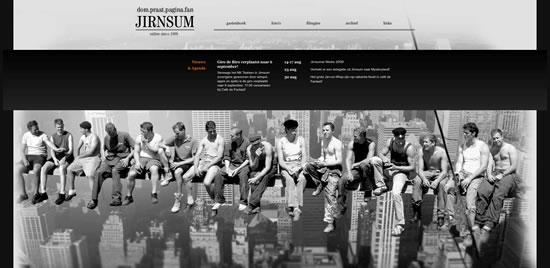
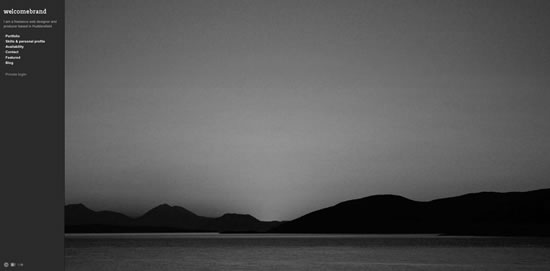
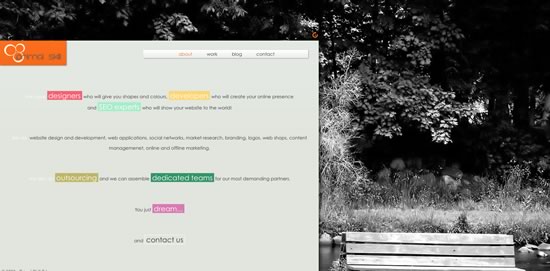
    Large backgrounds make a very impressive visual impact on websites. A web designer has the possibility to play with different design variables that are usually used by photographers, such as depth of field or focus. The background does not have to be just photos, but also any other large illustration or even video.

    In this article you will learn about the different large background styles and how to use them. You will also find out about the impact that large backgrounds has on bandwidth and site performance in general. Finally you will learn how to properly implement large backgrounds.

    Large Background Styles

    Essentially there are many different styles, but the most commonly used styles on websites are:

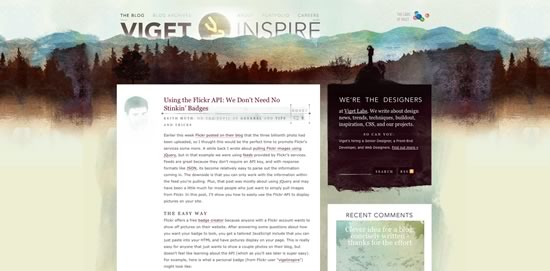
    * Photographs as backgrounds
    * Graphics and illustrations as backgrounds
    * Animations as backgrounds

    Photographs and illustrations are most widely used, animations are still experimental, but as bandwidth is becoming cheaper and Internet connection speeds are getting faster, more websites can afford to use these.

    Common Mistakes Using Large Backgrounds

    One of the most common problems with large backgrounds is that they have to conform to many different screen resolutions. A web designer should test the website’s design using as many different screen resolutions as possible, to avoid one of the common mistakes that is associated with using large backgrounds.

    Particularly a web designer should experiment with different browser window widths, because many users don’t expand their browsers to the full screen size, even though they may have a large resolution display.

    Let’s look at the most common mistakes that a web designer should avoid, when dealing with large backgrounds.

    Images are in Center, Tiled or Scaled

    It’s not wrong to use a centered, tiled or scaled image as a background, in fact it’s even recommended in order to keep the symmetry of the website, however misusing these techniques could give the impression of an average or mediocre design to the website’s visitors.

    Let’s examine the picture below of a website. This screenshot was created at a 1024×768 screen resolution:

    As you can see, at this resolution, there is nothing wrong with the design, however let’s see how it looks at a 1680×1050 resolution:

    The image used in the background is centered. It looks like a regular image on a website and doesn’t blend into the background. Avoid using background images in this way, by making sure that the photo is large enough in width for the most commonly used screen resolutions. The best solution is to blend the images’ corners into the background, so that users with larger screen resolutions won’t notice it.

    Cutting an image for use as a background can be tricky, if you don’t know how the each browser will actually render and replicate the pieces of the image.

    Every browser can replicate images and use them on the web pages or as backgrounds, with the help of CSS (cascading style sheets).

    An image is repeated by using the CSS background property in order to define the image and specifying how to replicate it. For example:

    body {
    background: url(”images/sample.jpg”) repeat-x;
    }

    The above code inserts the sample.jpg image as a background into the body element and repeats it horizontally. The attribute repeat-x sets the repetition of the image along the X axis. You can use the following repetition styles:

    * repeat-x to repeat the image horizontally
    * repeat-y to repeat the image vertically
    * repeat-xy to repeat it both horizontally and vertically
    * no-repeat do not repeat the image

    These are the following CSS code examples for each method:

    body {
    background: url(”images/sample.jpg”) repeat-x;
    }

    body {
    background: url(”images/sample.jpg”) repeat-y;
    }

    body {
    background: url(”images/sample.jpg”) repeat-xy;
    }

    body {
    background: url(”images/sample.jpg”) no-repeat;
    }

    Also note that you’re not limited to setting the background image to the body element. You can set it to any element on your page.

    In order to correctly tile an image, you must ensure that the edges of the image are consistent with the pattern, therefore creating a seamless background on the website. For example, the image below shows how a pattern, which is titled, is cut incorrectly. You can see the edges of each individual image:
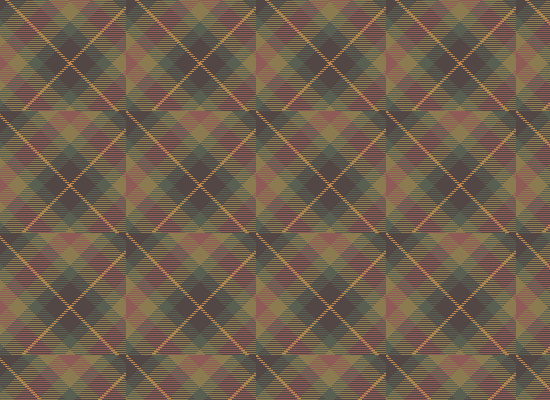
    In order to create a seamless background a web designer must cut the picture in such a way that the left edge blends into the right edge and the top edge blends into the bottom edge, like in the image below:
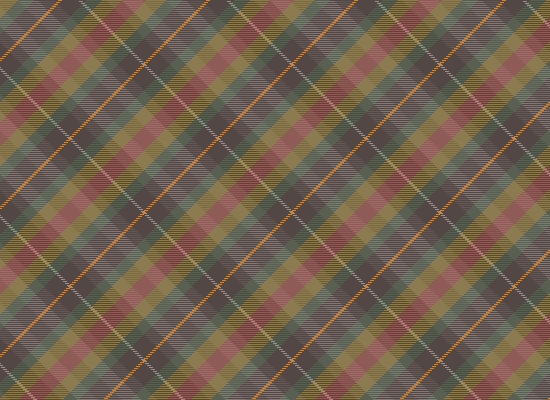
    You can see the edges of the individual images seamlessly blend into one another. This image was created from pattern below:

    When scaling an image, the most important factor is image quality and the target resolution. Also a web designer should take into consideration the different image formats that are optimized for each particular style of image.

    The most widely used image formats are:

    * GIF – graphic image format
    * Jpeg – joint picture expert group
    * PNG – portable network graphics

    GIF is an image format that is optimized for simple graphics, such as text or simple shapes, circles, lines, etc. It is not suitable for photos. For example:

    Sample GIF, image size: 3,3KB

    Sample Jpeg, image size: 13,5KB

    You can clearly see that the Jpeg image format is not suited for graphics. This format should rather be used for photos and the GIF format should be used when dealing with graphics.

    In the case of large images it’s essential to optimize an image as much as possible in order to save bandwidth (more about bandwidth later in this tutorial). Avoid scaling up small images, because the resolution of the image will drop significantly as you can see on the screenshot of a website below (try viewing this on a large resolution display):

    The problem with the above example is that the website automatically scales the image according to the screen resolution which causes the background image to become pixelated when viewed on large resolution displays.

    Impact of Large Backgrounds on Bandwidth and Site Performance

    Large backgrounds usually equate to large file sizes which can lead to a huge impact on bandwidth and also user experience.

    The bandwidth is the amount of data that is be moved from on place to another, specifically from the server to the client. By using large graphics, a website’s load time can increase significantly.

    It is therefore essential to optimize your images by using the appropriate image resolution and format, as well as optimizing the website’s other resources such as CSS and Javascript files.

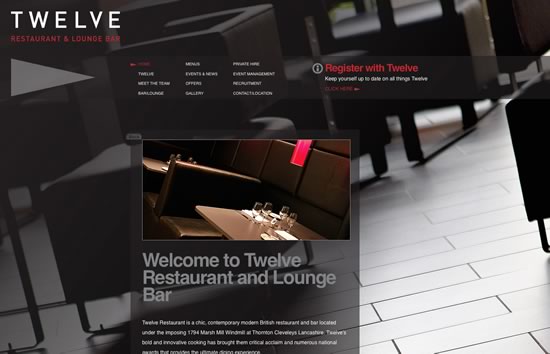
    Let’s look at the following example:

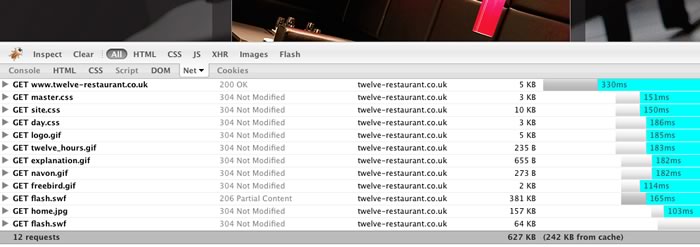
    Here is this website’s net usage report:

    There are 12 requests and a total of 627 KB is downloaded. This means that each time someone visits the website 627 KB is downloaded, adding to the total bandwidth of the website. If the website has an average of 50 visitors per day, this will total 31,350 MB per day.

    By using the Firebug plugin for Firefox you can see your website requests and get an idea as to how to optimize it.

    Tips & Tricks

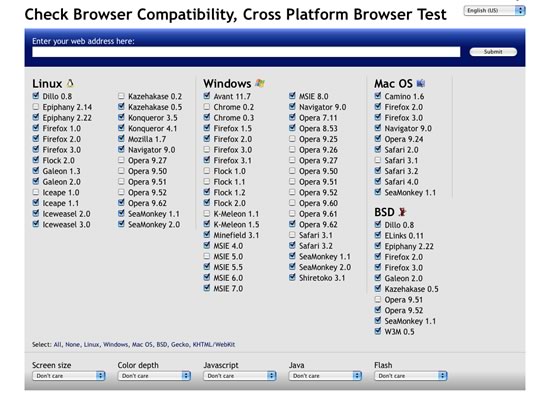
    Don’t neglect large resolutions and resolutions on which you can’t test the website. You can use services such as Browsershots to test your website using different screen resolutions, browsers, etc.
    High resolutions are not everything to considerwhen you design websites, you should also consider smaller screen resolutions. What if a large background website is viewed from a mobile phone? A web designer should design for every browser, in order to present the website to a large audience. These days more and more visitors tend to browse the web with devices such as the iPhone and other smartphones.

    Sometimes you may wish to target specific web browsers based on the device that the visitor is using or based on screen size alone, by using a specific style sheet. With the help of a little Javascript code you can create a style sheet switcher or you can use already made code for this. A List Apart has a great tutorial on how to create a style switcher.

    Another trick is to use a mobile phone emulator, which is a piece of software in which you can see how your website looks on a particular mobile phone. For example you can use the iPhone emulator Firefox add-on.

    Optimizing your backgrounds is essential using techniques such as CSS sprites.

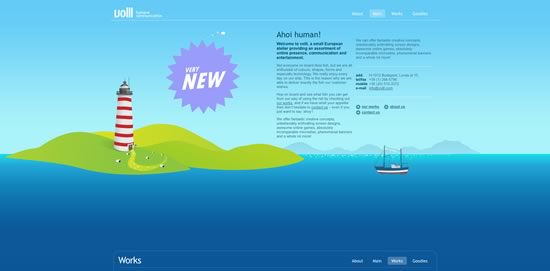
    If the photo that you want to use in the background of your website is too small or will look awkward, then  create the whole design around the photo. For example:

    As you can see the photo is small on purpose, which adds to the whole design.

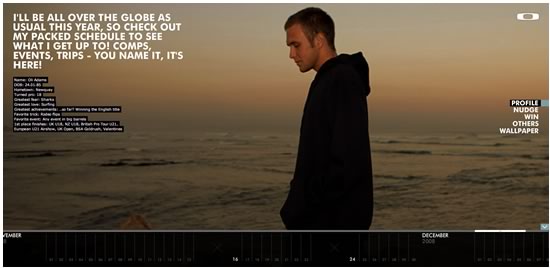
    Another tip is to create single color wide space on the photo itself, then use this color to paint the rest of the background, therefore making a seamless blend between the photo and the actual background.

    Here the image is centered, the left and right edges are a single grayish color and the rest of the background is filled with this color.

    As a best recommended practice use large images, above 1700 pixels in width to cover almost 95% of the display sizes available today.

    Showcase of Large Backgrounds
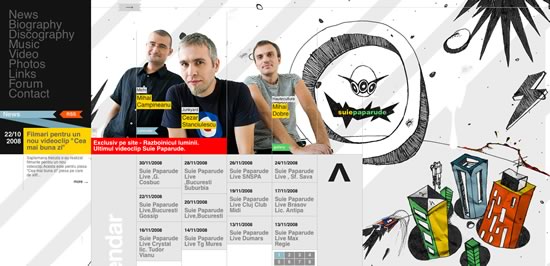
    Did we miss any good examples?  Feel free to add them below.


  • 38 Comments »

     
    #1
    anti-pixel
    November 21st, 2008 at 7:55 am

    perhaps you should test you own design with a 1024 resolution =)

     
    1 Reply
     
    #2
    Christine
    November 21st, 2008 at 1:55 pm

    thanks, this was very useful.
    great website you got
    :)


    #3
    Adam Dunford
    November 21st, 2008 at 5:02 pm

    One of the most impressive versions of this is at http://www.cobahair.co.uk/.

    If you resize it at 800×600, 1024×768, 1280×1024 and then beyond, each resolution has a nicely self-contained view of page content.


    #4
    Charles
    November 21st, 2008 at 8:06 pm

    My web site uses a very large illustrated and colorful background – about 3000px wide to cover even those Apple 30″ cinema displays. Also, I’ve animated sprites over the top of it that come in from the right.

    Take a look:
    http://www.bestmortgagedeals.co.uk/


    #5
    Sylvain
    November 22nd, 2008 at 10:03 am

    I have an other example. In my website, i used a couple of images, that slides when you adjust the size of the window of your browser.
    But this solution is limited, i can go to 2000 pixels wide but not larger.


    #6
    Guillaume
    November 22nd, 2008 at 10:17 am

    I’ve also made a website with large background.
    Check it here : http://www.gpacheco.fr


    #7
    kazan
    November 22nd, 2008 at 10:48 am

    Thx !


    #8
    rama
    November 24th, 2008 at 1:59 am

    wow.. great tips. i love big backgrounds.
    My favourite is http://futureofwebdesign.com <- designed by Carsonified.
    These guys knows how to use huge backgrounds.


    #9
    Ahad
    November 24th, 2008 at 9:50 am

    Informative Post dude. I totally forgot about how stunning a big background can actually be.


    #10
    spoon
    November 26th, 2008 at 9:29 am

    mY SPOON IS TOO BIg


    #11
    web designer
    November 26th, 2008 at 5:14 pm

    I love big backgrounds, it give us the freedom that internet has. illustration is my favorite to use.


    #12
    ponie325
    November 28th, 2008 at 1:36 am

    I usually use large background in FLASH websites,it’s really a hard work to make it fit,this article helps,thasks a lot~~


    #13
    Raymond Selda
    December 1st, 2008 at 10:53 pm

    Thank you for this article. I saw a similar one here:

    http://www.webdesignerwall.com/tutorials/how-to-css-large-background/

    Good to see some articles on large backgrounds. Keep up the good posts.


    #14
    Russell Bishop
    December 3rd, 2008 at 6:19 am

    Haha view your own website in 1024*768 – neglecting your average user ? Nice.


    #15
    Dan
    December 3rd, 2008 at 11:13 am

    “There are 12 requests and a total of 627 KB is downloaded. This means that each time you visit the website 627 KB is downloaded adding up to the total bandwidth of the website. If the website has an average daily 50 visits this means 31,350 MB.”

    Sorry, I just have to correct this glaring mistake because it bothered me as soon as I read it… 627KB x 50 is 31,350 kilobytes, not megabytes. There are (approx) 1,024 KB in one meg, which brings the total data transfer to close to 31 megs – a very reasonable amount of data transfer. Keep your jpegs compressed and at web resolution and you’ll have a hard time creating a background image that is a serious problem to your loading times.

     
    1 Reply
     
    #16
    Russell Bishop
    December 5th, 2008 at 4:56 am

    Haha I think we’ve found some FAIL factor in this blog post!


    #17
    Andy
    December 9th, 2008 at 11:42 am

    This is my try using big backgrounds http://www.howtomakepizza.info


    #18
    Nikki - http://logodesignguru.com
    December 11th, 2008 at 4:35 pm

    thanks for the great tips. Some backgrounds do work a lot better than others. I always felt that if the background is too busy then it is distracting, but not busy enough and it’s boring and plain. Good advice and thanks for posting.


    #19
    Xtence
    January 29th, 2009 at 1:42 am

    It’s never easy to use big background, image size is never easy.

    I tried this one: http://www.schotsgoed.be , the footer image goes with the content.

    great list btw!


    #20
    Eddy
    February 2nd, 2009 at 4:26 am

    Hello

    This may not be the correct place to ask,,,,,,,,,
    I favor a left border on my sites, why, no clue?

    But my quesion how wide do I have to make the back ground to keep the border from repeating? I know we all have different size monitors and so forth, but is there a happy medium?

    Thank you,,,,eddy


    #21
    Joey Kilrain
    February 6th, 2009 at 12:23 am

    I created this site about a year ago.

    The only rule of thumb when creating a site with a large background is to make sure the content fits within the targeted audience’s browser. Everything else is a snap :)

    http://gigapixelcreative.com/


    #22
    wander lima
    February 6th, 2009 at 4:30 pm

    Big background is good to work with diferent screens, it is a nice way to offer something interesting to see and not a big flat blank space.

    The background can complement the design, but need to work.


    #23
    sama creation
    February 23rd, 2009 at 11:55 pm

    Thank you for this article
    Good advice and thanks for posting.


    #24
    sammy
    March 2nd, 2009 at 12:54 pm

    I love illustrations as backgrounds. A good example is http://www.skyhigh-design.de

    great list!


    #25
    James
    March 7th, 2009 at 1:51 am

    So, large background images eah. So, how are you getting your pages to load so fast? I do just a few smaller images, and the image file size bloats the pages to a point I give up. I use Photoshop, and “save for web” to optimize them as much as possible, but your examples seem so crisp, and LARGE! How do you do it?

     
    1 Reply
     
    #26
    JC
    March 18th, 2009 at 6:14 am

    Absolutamente show !!!!


    #27
    James
    March 18th, 2009 at 7:37 pm

    Thanks Joey,

    My main concern is the overall file size of an image that large, not
    with how to implement the image into the web page. With most of what I
    have read on the W3C the recommended file size for a web page should
    be around or under 30KB. I can’t see how anyone can have a full page
    image and have the total page still be under that size. So, I was
    wondering what tools were being used to compress and optimize the file
    down enough to make it reasonable to use yet stay within appropriate
    download times?

    I have tried PhotoShop’s Save to Web feature and then optimize the
    image by playing with the settings to get it as small as I can without
    totally degrading the image. But I can never get even a 640 x 480
    image to look good and have a small file as the result…unless it is
    all one solid color and a gif! ;-)

    Any tips and pointers on compressing and optimizing would be great, as
    well as any tools used to get the smaller file sizes.

    Thanks,
    James


    #28
    Nicolas
    March 23rd, 2009 at 5:00 pm

    Dan

    ..keep your jpegs compressed …and at web resolution.

    jpegs dont retain information about resolution in the file – thus ppi is irrelevant. Only absolute pixel size is relevant.


    #29
    Alex
    April 7th, 2009 at 1:25 am

    you can also use fewer colors in photos (i think you mentioned that though) to make them smaller


    #30
    Adam
    June 5th, 2009 at 11:19 am

    Large backgrounds are very striking when it comes to making a good first impression, but as you say it has to be done correctly to maintain good usability. A website has to perform its function before anything else.

    I’ve seen large scale flash websites which just take ages to load and are impossible to navigate. Will it retain visitors? – possibly not.


    #31
    Wrought Iron Furniture
    August 4th, 2009 at 7:56 am

    A web designer should test the website’s design using as many different screen resolutions as possible, to avoid one of the common mistakes that is associated with using large backgrounds.


    #32
    best bonds
    September 14th, 2009 at 6:59 pm

    I am a huge fan of large photo backgrounds but they can often distract from the product you are selling


    #33
    Yoosuf
    October 5th, 2009 at 8:06 pm

    Awesome, great article


    #34
    Justin
    October 6th, 2009 at 2:06 am

    I still find it funny that websites are still telling people that saving a graphic as GIF will save the most space for non-images. In the example above, you have a JPEG and a GIF, but neglect the PNG format that is described directly above it. If you save the same image as a PNG-8 (same quality as GIF), the file size shrinks down to 2.4 KB – which is a 27% savings – quite a bit of a difference, especially if you get a lot of traffic on your site.

    I am not saying that GIFs are always bad, but I do think that you need to use what is going to work for you best. Even after that, run an optimizer like smush.it on it to get it even smaller.


    #35
    website promotion
    October 11th, 2009 at 4:11 am

    Must say the point re designimng the page so it can be viewed equally well on a PC and a mobile baffles me….have you ever tried using this medium to market anything?
    The issues surrounding download capabilities, WAP, MMS and not to mention phone network niggles make it nigh on impossible to get it JUST right.
    Worrying about screen resolutions is the least of your problems.


    #36
    MXWEBSITES
    October 27th, 2009 at 6:22 am

    Very cool, I’d like to do something like this for our web site very soon! Great post!


    #37
    web design pune
    December 18th, 2009 at 11:56 am

    wow, very good tips on website background. Thanks specially for sharing CSS code for this tips,


    #38
    swapnil
    February 8th, 2010 at 11:03 am

    Its really awesome, such tricks really come handy when doing a large background for site

     
    Name (required)

    E-mail (required - never shown publicly)

    Web-site

    Your Comment (smaller size | larger size)

Home| Advertising| About| Contact

© 2010 All Rights Reserved