• 2 Jul

    20+ Useful Desktop Blog Editors

    Blogging, CMS, WordPress

    Share

    Sponsored by: Click here to create FREE Flash Website!

    If you’re a power blogger, or someone who blogs regularly, across multiple blogs, with detailed, in-depth posts, a desktop blog editor can make your life infinitely easier.

    At least when it comes to the blogging aspect of it. There are a lot of blog editors out there.

    Some are browser-based, some are standalone. Some work across different platforms while others are only for Windows or Mac OSX. Some are paid while others are free.

    The main thing they all have in common, though, is their ability to streamline your blogging process.

    Below are more than 20 great desktop blog editors. There are options for every budget and every platform. Some even let you blog without blogging software.

    Bleezer (Cross Platform)

    Bleezer is a free blogging client that features WYSIWYG editing, category support, spell check, image uploads, and an offline mode. It supports any blogging client and multiple tagging services.

    BlogDesk (Windows)

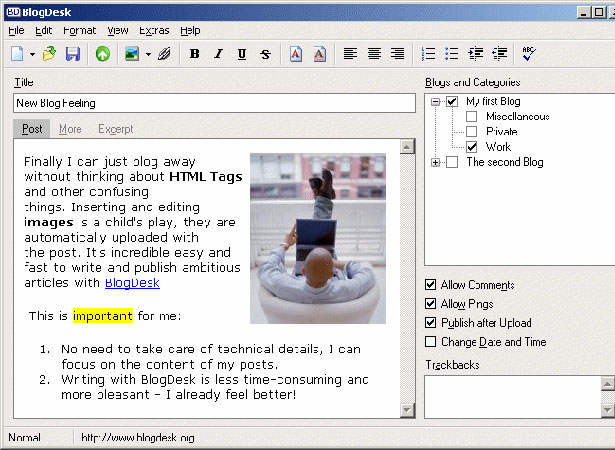
    BlogDesk is a free blog editor for MovableType, WordPress, Drupal, Serendipity and ExpressionEngine.

    Its features include a WYSIWYG editor, image editing and insertion, the ability to edit already-published posts, a tags generator, and spell check. There’s a downloadable PDF guide to using BlogDesk, too.

    BlogJet (Windows)

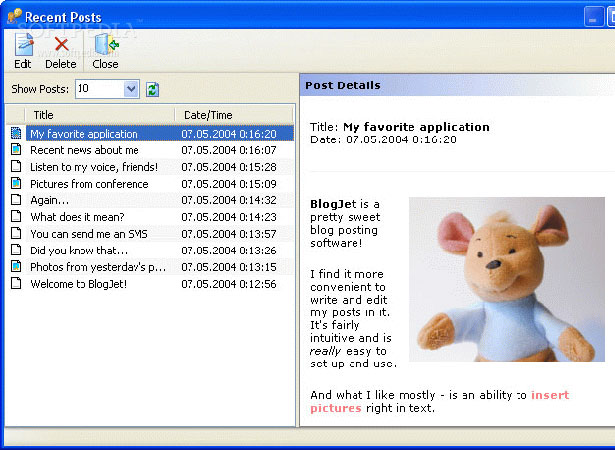
    BlogJet’s major features include a WYSIWYG editor, spell checker, word counter, and native support for embedding YouTube and Flickr images. It supports all of the major blogging platforms: WordPress, Movable Type, TypePad, Blogger, Drupal, Squarespace, BlogHarbor, MSN Live Spaces and more.

    Posts are cached and are instantly searchable so you can access older posts, even without an Internet connection. Other useful tools include an auto replace function, group posting on multiple blogs, and integration with browsers and feed readers to make blogging about things you’ve found online quicker and easier.

    BlogJet’s biggest downside is its pricetag: $39.95 for a personal single-user license and $79.95 for a single user business license (an unlimited business license is $399.95).

    BloGTK (GNOME)

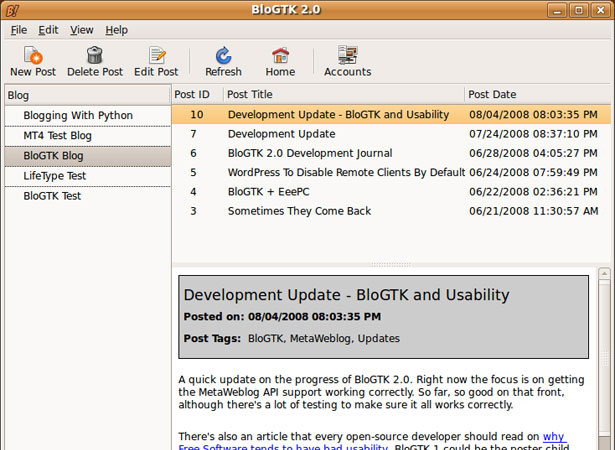
    BloGTK is an open-source blog editor (released under the BSD license) that works in GNOME, allowing you to post without opening a separate browser window.

    It works with Blogger, WordPress, MovableType and other popular Python-based blogging platforms. Version 1.1 is currently available and work is progressing on Version 2.0.

    Windows Live Writer (Windows)

    Windows Live Writer offers a range of features including support for inserting multiple photos, cropping and tilting photos, server-side tagging, Twitter, Digg and Flickr plug-ins, instant preview, word count, smart quotes, and spell check. It also supports inserting a Windows Live photo album within your blog posts.

    Live Writer is free and works with Windows Live, Blogger, WordPress, LiveJournal and TypePad, among others.


    MacJournal (Mac)

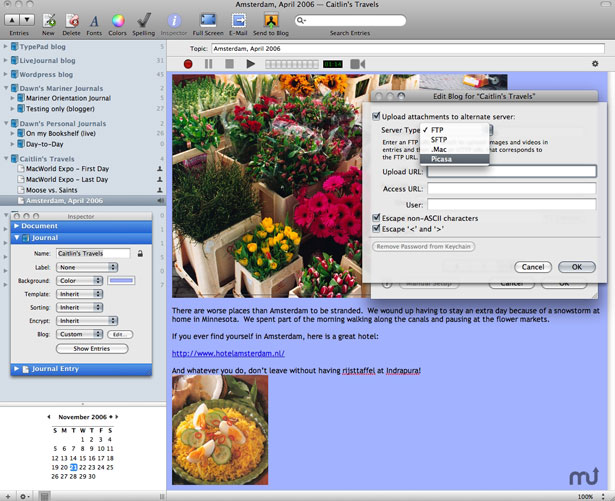
    MacJournal is journaling software for the Mac that supports blogging to the more popular blogging platforms as well as to .mac accounts. It also lets you record podcasts or video (with iSight) to attach to any blog entry.

    Entries can be assigned ratings, priority, and status, and then be sorted based on those tags. It also includes Picasa integration and lets you resize images within any entry. The cost for a single license is $34.95.

    Blogo (Mac)

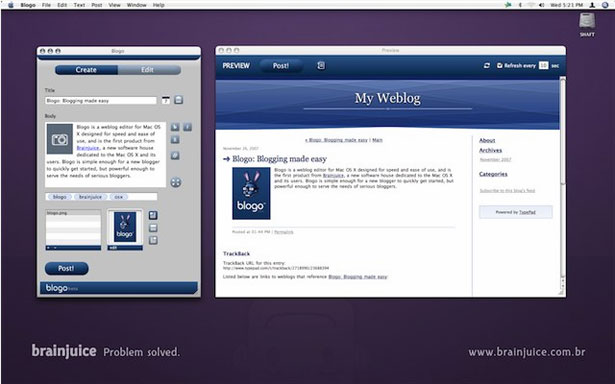
    Blogo is compatible with TypePad, Blogger, WordPress, Twitter, Movable Type, Drupal, and more.

    Blogo’s features include support for multiple accounts; the ability to insert, drag, and crop images, as well as insert video and widgets; microblogging support through both Ping.fm and Twitter; and an offline mode.

    Blogo is $25 but there is a 21-day free trial available.

    MyBlogEdit (Mac)

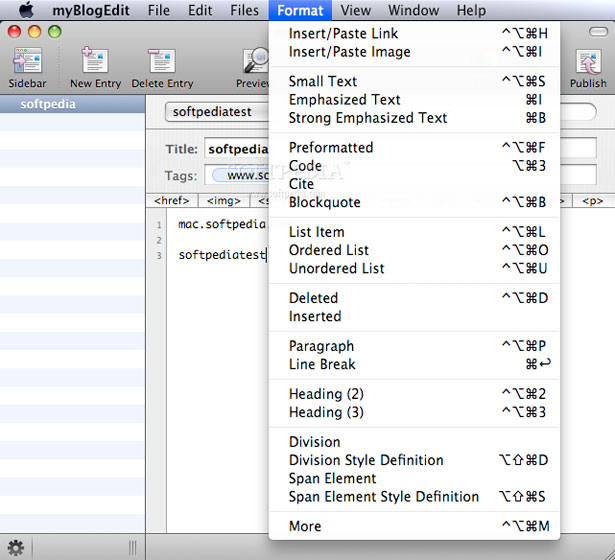
    MyBlogEdit’s features includes offline editing, easy image integration and editing, a preview mode, customizable CSS, syntax-coloring for HTML editing, and more.

    It’s compatible with WordPress, Movable Type, TypePad, Expression Engine, and more. MyBlogEdit is €10.

    MyWeblog (Mac)

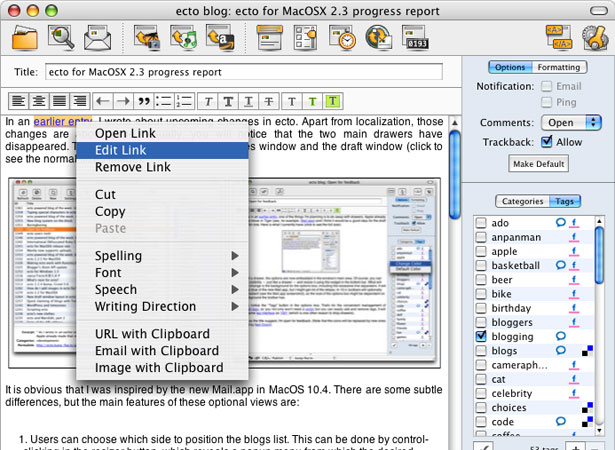
    For WordPress power-users, there’s MyWeblog, which is similar to MyBlogEdit but includes support for other WP features, including page editing. MyWeblog is €19.

    Deepest Sender (Cross Platform)

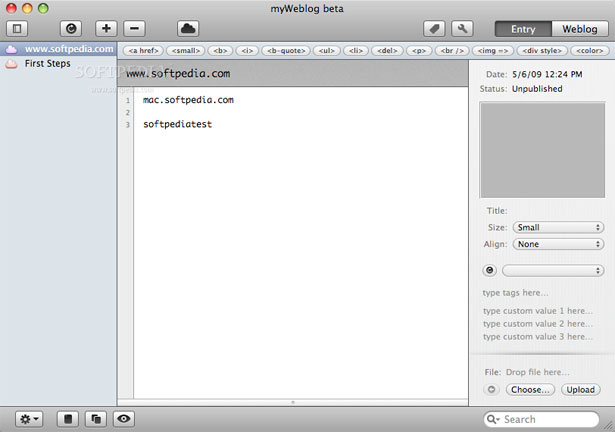
    Deepest Sender is a free blog editor extension for Firefox, SeaMonkey and XULRunner. Its features include a WYSIWYG editor, support for multiple accounts, spell check, and an offline mode.

    It also has crash recovery so if your browser crashes while you’re midway through an entry, you won’t lose everything.

    Deepest Sender can be loaded into the sidebar of Mozilla or Firefox, allowing you to post from there. It supports WordPress, LiveJournal and Blogger accounts.

    Drivel (GNOME)

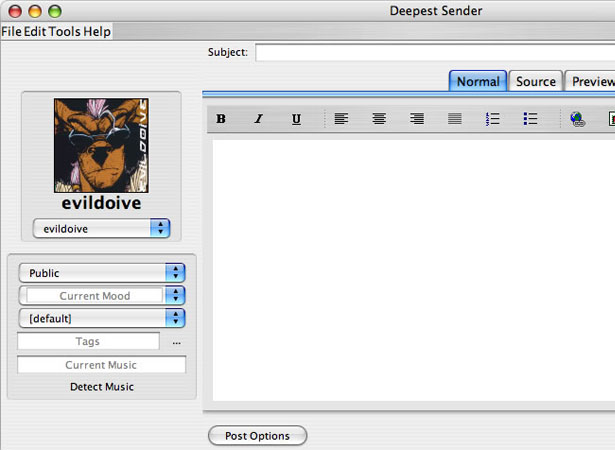
    Drivel is a free GNOME client for blog editing. It supports LiveJournal, Blogger, Advogato, MovableType, and Atom-based platforms (like WordPress and Drupal).

    It has an offline editing mode, automatic recovery if the program crashes, spell check, HTML syntax highlighting, and system extensions (including MovableType’s categories and LiveJournal’s security groups). One of its nicest features is the inclusion of both simple and advanced post editing modes.

    Ecto (Mac)

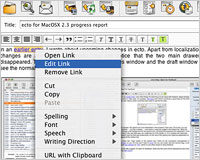
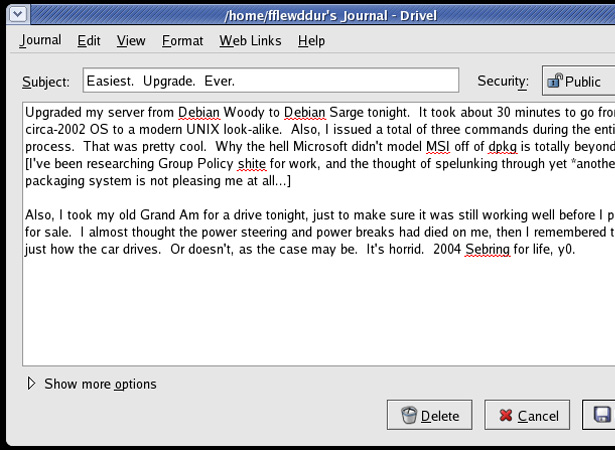
    Ecto’s main features include a WYSIWYG editor and an HTML editor, local control of recently published posts and saved drafts, advanced image features (including converting and scaling), and support for multiple blogs.

    It integrates with common RSS readers to make reposting things you’ve read easier. It uses Safari’s WebKit to provide full-featured previews of entries, too. Ecto works with Blogger, Drupal, Movable Type, SquareSpace, WordPress, TypePad and more.

    While Ecto isn’t free, its $19.95 price tag is by no means high.

    Flock (Cross Platform)

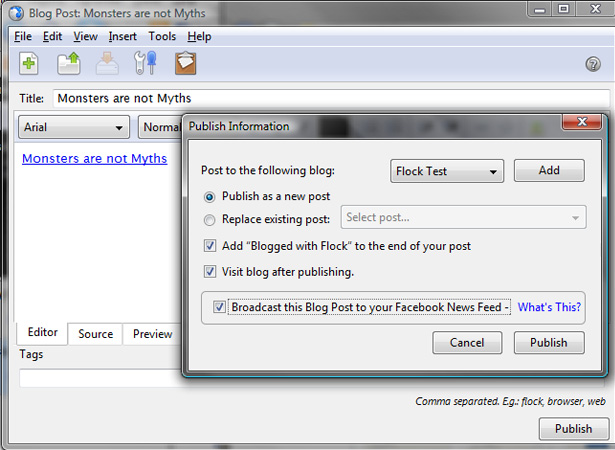
    Flock is a free “social web browser.” It not only lets you post to your blog, but also to other social media accounts you may have. Currently, Flock supports Blogger, WordPress, LiveJournal, Blogsome, and TypePad, along with other social media sites.

    The blog editor itself is pretty standard, with a WYSIWYG editor, support for adding images and video, and basic text formatting options. Support for multiple blogs is also included.

    Gnome Blog (GNOME)

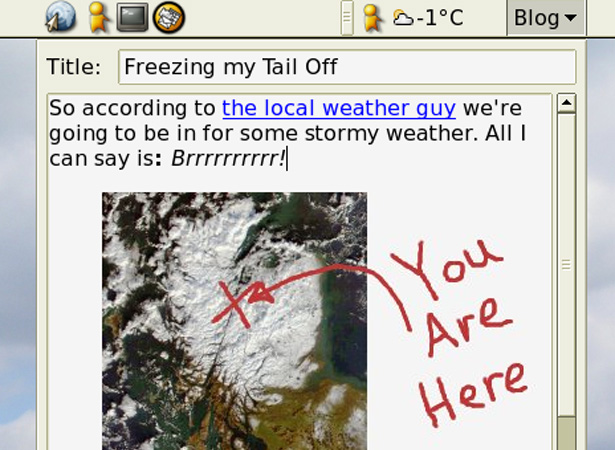
    Gnome Blog is another free GNOME-based blog editor. It includes a WYSIWYG editor, a clean interface, spell check, drag-and-drop image insertion into posts, and the option to operate as a standalone application or an applet.

    Supported platforms include Blogger, MovableType, WordPress, LiveJournal, Pyblosxom, Advogato and any other blog using the Blogger API or MetaWeblog.

    MarsEdit (Mac)

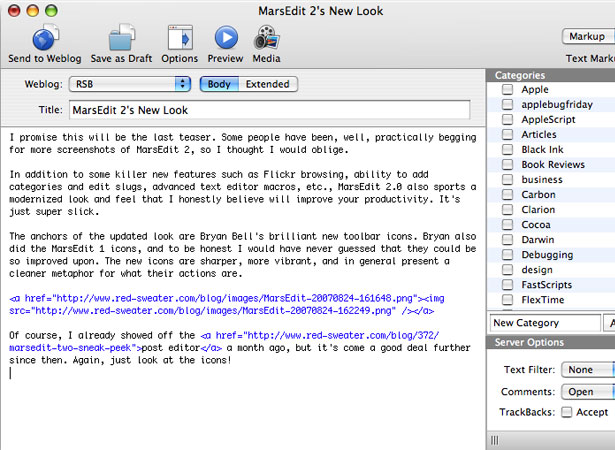
    MarsEdit’s features include an intuitive interface that works a lot like email. It has the ability to include images from your Flickr library, image and file uploads, offline editing mode, and AppleScript support for adding new features.

    It supports WordPress, MovableType, TypePad, Blogger, Tumblr, Drupal, LiveJournal, and more. MarsEdit is $29.95 but there is a 30-day free trial available.

    Newz Crawler (Windows)

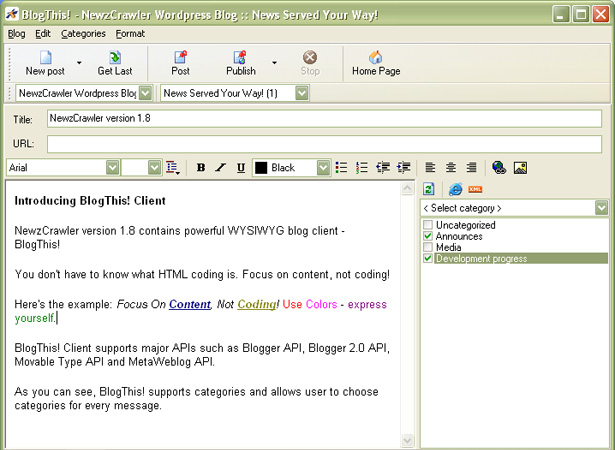
    Newz Crawler integrates news feeds with a blog editor. It’s a great solution for bloggers who regularly re-post things from other blogs. Its features include a WYSIWYG editor, news channel organization, subscription synchronization, and the ability to download podcasts.

    The blog editor functions seem to be pretty standard and NewzCrawler supports Metaweblogger, Blogger, MovableType, and LiveJournal API platforms. A single NewzCrawler license is $24.95.

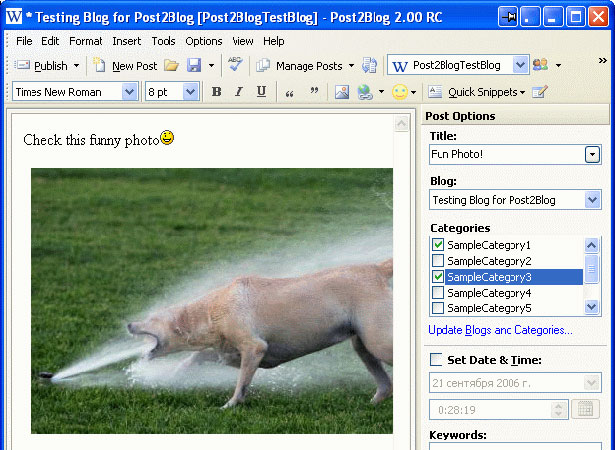
    Post2Blog (Windows)

    Post2Blog is a free blog editor that includes a WYSIWYG editor, an MS Word toolbar for posting directly from Word, plugins for posting text or images from Firefox or Internet Explorer, tag support, an “Insert Amazon Link” feature, and automatic image uploads.

    Supported platforms include Blogger, WordPress, TypePad, and MovableType.

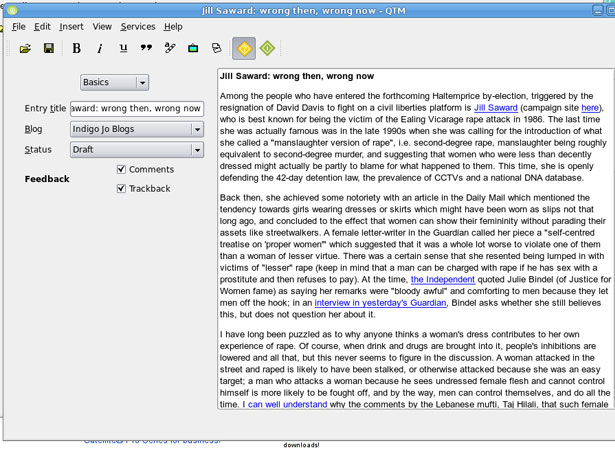
    QTM (Cross Platform)

    QTM is an open source blog editor based on the Qt graphical user interface toolkit. It works with most major blogging platforms, including WordPress, MovableType, Drupal and Textpattern. It does not work with Blogger, however.

    It includes all the basics: a WYSIWYG editor, support for categories and tags, and support for multiple blogs. It also supports the creation of “Quickpost” templates, a huge bonus for those who post similar posts on a regular basis.

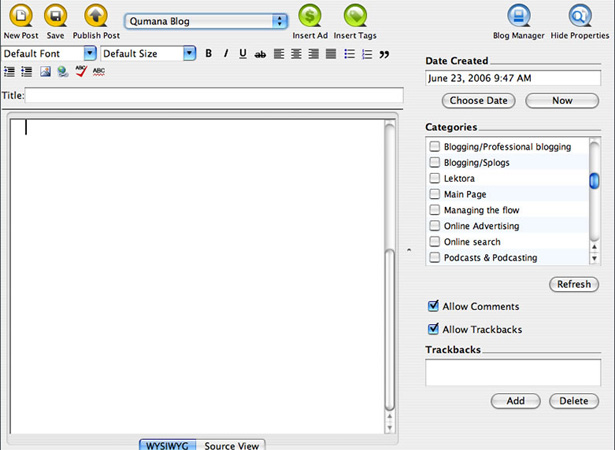
    Qumana (PC and Mac)

    Qumana’s features include a WYSIWYG editor, support for inserting keyword ads, Technorati tagging, offline editing, image uploads, and spell check.

    It also supports multiple blogs (including cross-posting). Supported blog platforms include Blogger, DiaryLand, Drupal, LiveJournal, WordPress, SquareSpace, TypePad, MovableType, MSN Spaces, and more.

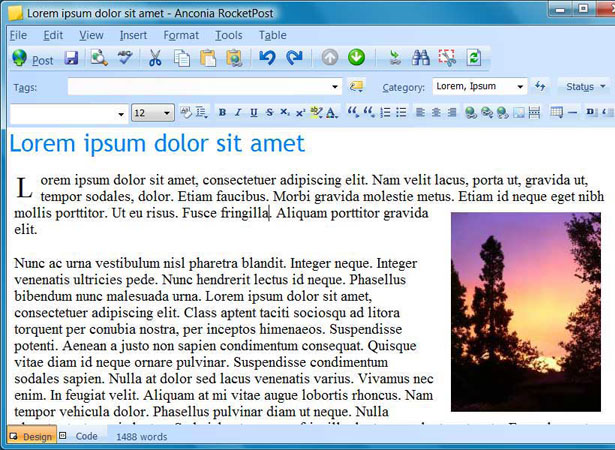
    RocketPost 2 (Windows)

    RocketPost’s features include full, local WYSIWYG editing, image editing (including cropping, compressing, and resizing), the ability to import your full blog, automatic image uploading, spell check, affiliate code support and more. +

    It supports Blogger, WordPress, MovableType, TypePad, BlogHarbor, MSN Space, SquareSpace, Drupal and more. It also includes a standalone blogging option that doesn’t require a server install and works with regular FTP access.

    There are three licenses available: a free license for posting to Blogger or Live Spaces, a $29 singe-blog license, and a $49 multi-blog license.

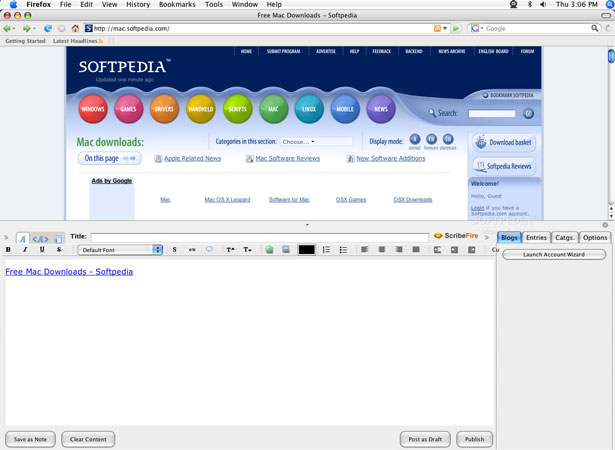
    ScribeFire (Cross Platform)

    ScribeFire is a free blog editor extension for Firefox. Features are pretty standard, including support for saving a post as a draft, a WYSIWYG editor, and the ability to set your posts’ timestamps.

    Major blogging platforms are supported, including WordPress, LiveJournal, Tumblr, Xanga, Textpattern, Blogger, Drupal, and MovableType. If you’re already a Firefox user, ScribeFire can really simplify your posting.

    Thingamablog (Cross Platform)

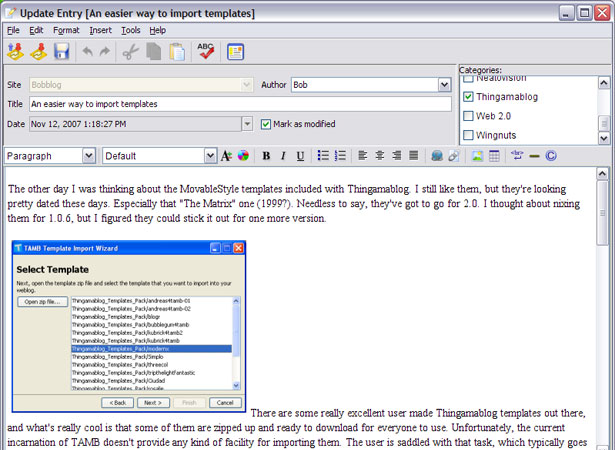
    Thingamablog is a bit different than the other options listed here. It’s a free blog editor that doesn’t require a third-party blogging host, a cgi/php enabled web host, or a MySQL database. You just need FTP, SFTP or network access to a web server.

    Basically, Thingamablog is a blogging platform in and on itself. It lets you maintain multiple blogs, manage thousands of entries, publish remotely via email, customize templates to create a unique layout for your blog, and syndicate your blog via RSS or Atom.

    It also integrates a news reader, offers an offline editing mode, supports ping services, and lets you dynamically update your blog’s content. It’s definitely a unique offering in the world of blog editors.

    w.bloggar (Windows)

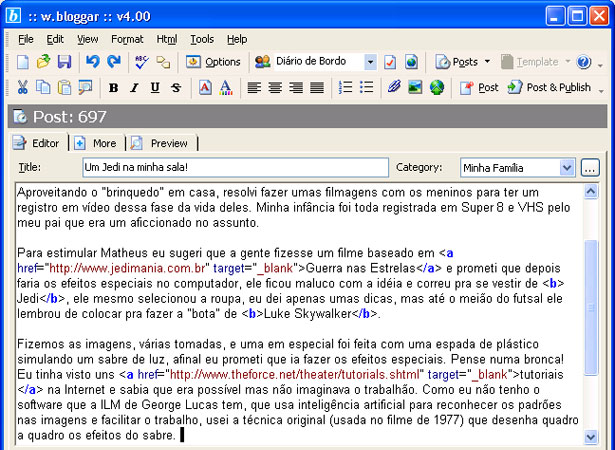
    w.bloggar’s features include support for multiple blogs, an HTML tags menu, text formatting, post previews, and the option to save posts locally for further editing.

    Supported platforms include Blogger, MovableType, Blogalia, Squarespace, Upsaid, TypePad, MSN Spaces, Blog-City, DearDiary.net, Drupal, WordPress, PostNuke, LiveJournal, and more.

    WB Editor 3 (Windows)

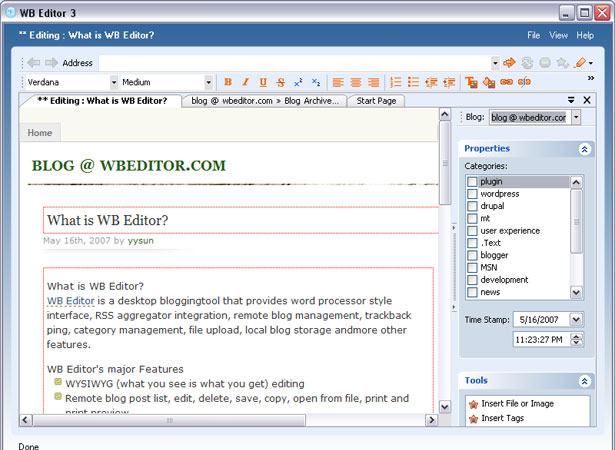
    WB Editor features offline editing support, a WYSIWYG editor, remote post management, category and theme management, plugin support, image uploads, and support for all of the major blogging platforms, including WordPress, MovableType, MSN Spaces, Drupal, Blogger, and more.

    WB Editor is priced at $29.99 for a single user license.

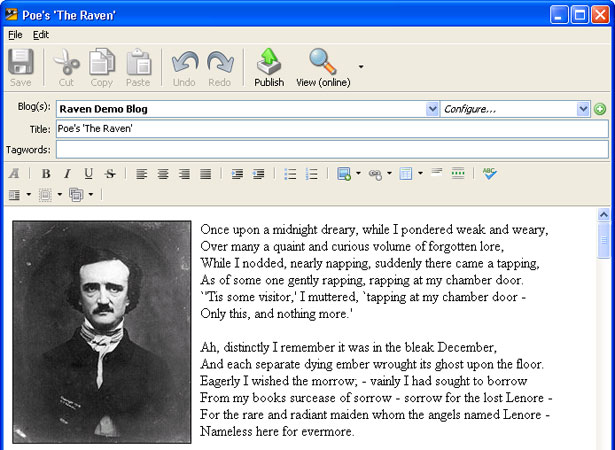
    Zoundry Raven (Windows)

    Zoundry Raven is an open-source blog editor that supports MovableType, TypePad, Blogger, Windows Live Spaces, WordPress and Blogger, among others.

    Its features include a tabbed WYSIWYG editor, multiple blog management, WP page and tag support, and management of multiple media storage services (including Picasa, and Image Shack).


    Compiled exclusively for WDD by Cameron Chapman.

    Which ones are your favorites? Do you prefer to edit your blog with a desktop app or through your browser? We’d love to hear from you, please share your feedback in the comments’ area below…


  • 77 Comments »

     
    #1
    Mohamed Aslam
    July 2nd, 2009 at 9:05 am

    Nice list! Thank you!


    #2
    Mohamed Aslam
    July 2nd, 2009 at 9:06 am

    Nice list. But I had some problem with the desktop editors, when I editing my pages.

    Anyway nice job!


    #3
    zv3n
    July 2nd, 2009 at 9:24 am

    I’m using Windows Live Writer. It’s very useful.

     
    1 Reply
     
    #4
    Prasanna Jathan
    July 2nd, 2009 at 9:38 am

    Which one do you use?


    #5
    Lakshmi Mareddy
    July 2nd, 2009 at 9:40 am

    Good post. Windows far outweighs other OS, but the apps are in no way outstanding..

    I usually use scribefire, as its built into my firefox browser a big fav. app of mine. I initially used Qumana [http://www.chilligavva.com/2007/06/15/all-about-qumana-1.html] but find scribefire lean and very good ! I didn’t like blog desk, bloggar and post2blog..

    Rgds..


    #6
    Ewout
    July 2nd, 2009 at 9:42 am

    I wondered why Windows Live Writer isn’t in the list, it can also be used with different blog services.


    #7
    tamasys
    July 2nd, 2009 at 10:02 am

    Yes, Windows Live Writer is great. Lots of features and free – pretty good for a Microsoft product :P .


    #8
    Sunil
    July 2nd, 2009 at 10:05 am

    Yes.. You are forgot to add windows live writer.. That is cool and useful one…Anyway thanks for the list


    #9
    joghurtKULTUR
    July 2nd, 2009 at 10:16 am

    great work! I think its time to test one or two of them


    #10
    Jott
    July 2nd, 2009 at 10:18 am

    Yes, WLW should be in the list… Even if you don´t like Microsoft… Sorry, it´s my first choice…


    #11
    Chetan Sachdev
    July 2nd, 2009 at 10:58 am

    I am also on Windows Live Writer, with some cool plugins. List is very useful.

    Thanks


    #12
    Janko
    July 2nd, 2009 at 11:38 am

    I avoid desktop editors although Windows Live Writer was very nice while I was using it.


    #13
    Adam
    July 2nd, 2009 at 11:41 am

    Those are brilliant – I had no idea they existed. I don’t know which one to try. If it keeps me away from the clunky Wordpress editor I’ll be happy.


    #14
    James Snape
    July 2nd, 2009 at 11:42 am

    Yeah, I think Windows Live Writer is definitely one of the best. I’ve tried many of these and Live Writer is now the only one I have installed.


    #15
    vinoth
    July 2nd, 2009 at 11:49 am

    Where is the windows live writer man.. it is the best of all


    #16
    PienaZupa
    July 2nd, 2009 at 11:50 am

    Nice list, but how could you not mention Windows Live Writer? It’s a great program, and the best thing is that it actually shows exactly how your post will look like in your blog.


    #17
    James
    July 2nd, 2009 at 12:59 pm

    Under Blogtk you write:
    “It works with Blogger, WordPress, MovableType and other popular Python-based blogging platforms.” This makes no sense as Wordpress is PHP, MovableType is Perl and Blogger is hosted only.


    #18
    Serge
    July 2nd, 2009 at 1:05 pm

    zv3n, I completely agree with you. Windows Live Writer – the best desktop blog editor.


    #19
    Sérgio
    July 2nd, 2009 at 1:18 pm

    I use Windows Live Writter and it’s OK


    #20
    Gizelle
    July 2nd, 2009 at 1:27 pm

    Thanks for this very informative post! I am not currently using any blog editor. I’m still weighing which of these editors is the best for my requirements. Should I go for number 1?


    #21
    Rajasekharan
    July 2nd, 2009 at 1:40 pm

    I use Blogdesk to edit by blog. It is simply the best blogging software of them all. I have tried many blog editing software in this list and I found blogdesk to be the most useful.

    Raj


    #22
    Yoram
    July 2nd, 2009 at 2:01 pm

    My favorite is still the one I use on a daily base: MarsEdit. But there is more. For a big project (a book like) i used MacJournal, and sometimes I use the raw text power of the TextMate blogging bundle.

    Don’t forget: there are also some newcomers like Blogo and myWeblog / myBlogEdit


    #23
    phar_fetched
    July 2nd, 2009 at 2:04 pm

    great list, good job


    #24
    Nicholas Z. Cardot
    July 2nd, 2009 at 2:12 pm

    I’m using Wordpress right now so I’ll have to get one of these. I’m just not sure which one yet. Thanks for the list!


    #25
    Shrihari
    July 2nd, 2009 at 2:14 pm

    How did you miss Windows Live Writer ? It is the best. Its one of the few things that prevent me from switching to Ubuntu..


    #26
    tim
    July 2nd, 2009 at 2:49 pm

    Erm… LiveWriter!!! seriously, LiveWriter is better than all these apps!


    #27
    Saad Kamal
    July 2nd, 2009 at 2:50 pm

    good list..but the 1st one should have been Windows Live Writer..and you hvn’t included it anywhere…


    #28
    vivacron
    July 2nd, 2009 at 3:05 pm

    @zv3n: me too. Author, where is windows Live Writer?


    #29
    Lee Mathews
    July 2nd, 2009 at 4:03 pm

    Second for Live Writer. Arguably the best option for Windows. It’s killer.


    #30
    omar
    July 2nd, 2009 at 4:03 pm

    great list i was looking for something now the finding the best one :)


    #31
    Joe Casabona
    July 2nd, 2009 at 4:22 pm

    I also use Windows Live Writter. It’s free and very nice- supports WordPress, multiple blogs, tags, saving local and online drafts, etc.


    #32
    Laurie
    July 2nd, 2009 at 4:44 pm

    You missed blogo on the Mac (http://www.drinkbrainjuice.com/blogo). It’s better than MarsEdit IMHO.


    #33
    JSB Web Deisgn
    July 2nd, 2009 at 4:51 pm

    Great collection, you just never know when a client may prefer doing things this way.


    #34
    eric
    July 2nd, 2009 at 5:06 pm

    I hate to say it, but I agree w/ @zv3n… I use WLW… I freakin’ love it… it’s not weak.


    #35
    Phaoloo
    July 2nd, 2009 at 5:24 pm

    Window Live Writer is great with plenty of plugins and it should be included in the list as well :D


    #36
    Jared Spurbeck
    July 2nd, 2009 at 6:09 pm

    I’m surprised you didn’t mention Windows Live Writer!

    I’m also surprised you covered so many Linux blogging platforms. Nice! Although Drivel hasn’t been updated in awhile, and I think BloGTK’s being plagued with this bug where it doesn’t work in Ubuntu and Mint.

    I use Logjam. It’s cross-platform, but it only works on LiveJournal. It supports LJ tags, unlike Drivel, but its interface is not as nice.


    #37
    dave
    July 2nd, 2009 at 6:21 pm

    interestsing list =)


    #38
    Ilija Brajkovic
    July 2nd, 2009 at 6:41 pm

    Why Windows Live Writer is not on the list?


    #39
    Jose Tavares
    July 2nd, 2009 at 6:51 pm

    I use Zoundry because it may be used portably in a pen. I’ll check others to see if there others with this mode.


    #40
    Caitlin
    July 2nd, 2009 at 7:20 pm

    I’ve never used a desktop blog editor before, but after seeing everyone saying how much they love WLW, I asked my bf about it, he said it was great, and I’m downloading it now! Thanks everyone!


    #41
    RoaldA
    July 2nd, 2009 at 10:12 pm

    Sweet


    #42
    Walter
    July 2nd, 2009 at 10:16 pm

    Thanks for everyone’s suggestions. We have updated the post with some of your most popular suggestions.

    I appreciate everyone’s feedback!


    #43
    Bertrand
    July 2nd, 2009 at 11:36 pm

    For me Blogdesk is the best for windows. Simple and very fast. I’m working now on Mac and love Ecto.


    #44
    wantfee
    July 3rd, 2009 at 4:15 am

    I used Zoundry Raven for quite a while. It works better than windows live writer.


    #45
    Jack Carlson
    July 3rd, 2009 at 5:31 am

    I’ve used a few of these and the only one I stuck with is Live Writer. Still, I tend to do more posts directly in Word Press’s interface, lame as it is, because I like using Zemanta and as far as I know that doesn’t work as a plug-in for any of these. These days I don’t see any need to pay for a decent blog editor.


    #46
    Dmitry
    July 3rd, 2009 at 4:01 pm

    Thanks for the tips. I’m having problems with the Windows Live Writer and was looking for a new software to write y posts offline


    #47
    Irene
    July 3rd, 2009 at 5:47 pm

    how secure is this? You need to give your password so how do i know if my password is safe and it is not going to someone else?


    #48
    DesignFirms
    July 3rd, 2009 at 10:28 pm

    Great list. You guys do a great job researching these kinds of things. Keep up the good work!


    #49
    Rochelle Dancel
    July 4th, 2009 at 2:51 am

    I’m a big fan of Scribefire – blogging on the fly as you’re surfing. It works great with Blogger – I find it much better than Blogger’s own WYSIWYG!


    #50
    Dainis Graveris
    July 4th, 2009 at 3:48 pm

    I started with Windows Live Writer, but then found out about BlogDesk and I am very pleased with it :)


    #51
    Mohammad B. Irshid
    July 4th, 2009 at 3:58 pm

    Thanks for the great list. I prefer windows live writer for desktop and scribfire for firefox.


    #52
    lightamatch
    July 4th, 2009 at 5:04 pm

    How do these desktop blog editors handle custom fields in WordPress’ admin?

     
    1 Reply
     
    #53
    Yudhi
    July 4th, 2009 at 8:23 pm

    Wow…awesome, this is i looking for, thank you


    #54
    kwangkxz
    July 5th, 2009 at 6:23 pm

    Great Info and article, thanks for the useful information.


    #55
    dsignz media
    July 6th, 2009 at 9:17 am

    Great List!!! Thank U


    #56
    James
    July 6th, 2009 at 1:22 pm

    What is with all the Windows Live Writer spam? Seriously all these people using it have obviously not used Gnome or QT based blog editors and can’t declare ‘it is better than all these apps’.


    #57
    marc
    July 6th, 2009 at 8:47 pm

    Im having issues using it with diaryland.


    #58
    Gianni
    July 7th, 2009 at 11:52 am

    Very nice list.With compliments.


    #59
    baloot
    July 7th, 2009 at 10:01 pm

    i’m using blogjet. its not freeware… :)


    #60
    Eric Wroolie
    July 10th, 2009 at 11:03 am

    I’ve tried a few of these, but find WLW to do everything I need. I know it’s MS (so it’s evil), but it has all the bases covered. I’ve been able to use it with Wordpress and Dasblog engines very effectively. When I’m on Linux, I use Scribefire, but don’t like the half-window in the browser thing.

    This post is great, but it would be nice if each app had a rating (I haven’t tried them all and want to see if there is a better one than WLW).


    #61
    Mike Borozdin
    July 10th, 2009 at 2:00 pm

    I use Windows Live Writer. It has a lot of features and there are many plug-ins as well.


    #62
    Pavlow Vinelli
    July 11th, 2009 at 12:20 am

    ecto is very good and i liked it


    #63
    webmaster9
    July 12th, 2009 at 10:43 am

    wow, thanks for sharing , I have found what really I need.


    #64
    Luis Eduardo
    July 16th, 2009 at 8:30 pm

    Excellent article i think after reading the post and reading the comments ill go with Window live Writer, i allways use the wordpress editor but i dont like it tom much even if is not to bad.


    #65
    mihnea chirila
    July 21st, 2009 at 4:41 am

    i found your blog and i added it to my bloggroll because I didn’t had the time to inspect it closer. at first iI thought … this is page is interesting in aspect … maybe it has something to offer. next day I jumped here and started reading.
    I must say that 3-4 times a week I come here and every time I find somenthing interesting. today I remembered this post , and decided it was time for me to start using
    a blog editor , because images realy inspire me. because of the boring aspect of blogger , I often use the jurnal section of a social webpage , just because it’s collors help ideeas run faster thru my head.
    Thanks a lot for this post , and for this great blog. It is a blog , isn’t it?

    Mihnea from Romania


    #66
    Sam
    July 22nd, 2009 at 8:44 pm

    Nice writeup. But, after just finding out that ScribeFire now has “on” by default spyware embedded in it (It’s a feature according to Andraz Tori of Zemanta), Would you update the list to include which has spyware, tracking, phone home, or other inappropriate activity?

    Thanks,
    Sam

    PS: Google “scribefire zemanta-pixie” for further info.


    #67
    gumbelt
    July 23rd, 2009 at 6:10 pm

    what’s simple and best for windows user..?


    #68
    riza_kasela
    August 15th, 2009 at 5:34 pm

    install xampp at your PC then install wordpress


    #69
    Sumeet Chawla
    August 19th, 2009 at 7:51 pm

    Nice list.. am sure I could use one of them :)


    #70
    Rich Archer
    August 20th, 2009 at 4:41 pm

    Hmm.. from these comments I’m getting a subliminal feeling that I should be giving Windows Live Writer a go. Re-read them, it’s subtle, but its there…


    #71
    UnoBlogger
    August 22nd, 2009 at 5:39 pm

    A very nice compilation, I can see a lot of hardwork gone behind this article. I use Post2Blog and it seems like the best bet


    #72
    purwokerto
    August 29th, 2009 at 11:57 am

    what e great collection you have.it’s all for wordpress or blogspot either?thanks.


    #73
    ertan (erkasoft web tasarım)
    September 6th, 2009 at 9:00 pm

    nice collection. I add to my bookmarlist. Thanks.


    #74
    Türks Bilişim
    September 9th, 2009 at 11:56 am

    this, very thank you..

    Your site full professional and very beautiful…


    #75
    info bisnis purwokerto
    September 10th, 2009 at 9:22 am

    thanks for the great Post,i hope always best things that yo’ve got.pram from Indonesia.HELLO THERE!!


    #76
    İşletim Sistemleri - Photoshop
    September 24th, 2009 at 11:57 pm

    this is thank you..

    your web site wery good..


    #77
    Ric M
    September 26th, 2009 at 5:13 pm

    Good list, but do any of these handle custom fields ¿

     
    Name (required)

    E-mail (required - never shown publicly)

    Web-site

    Your Comment (smaller size | larger size)

Home| Advertising| About| Contact

© 2009 All Rights Reserved