

 A blog is a great tool with which to express your opinions, build a community, network with others and drive traffic to your website.
However, a lot of designers are not sure how to get started or what to blog about.
I've been blogging for a couple of years now, but I've been blogging effectively (in my opinion) for only several months.
My blog posts used to go unnoticed, and I've now realized that this was because of a lack of structure and commitment.
So, what's involved in the process of writing an effective blog post?
A blog is a great tool with which to express your opinions, build a community, network with others and drive traffic to your website.
However, a lot of designers are not sure how to get started or what to blog about.
I've been blogging for a couple of years now, but I've been blogging effectively (in my opinion) for only several months.
My blog posts used to go unnoticed, and I've now realized that this was because of a lack of structure and commitment.
So, what's involved in the process of writing an effective blog post?
1. Find Inspiration
Successful blog content is fueled by inspiration. Inspiration can be found in a number of different (and sometimes obscure) places, but there are a few reliable avenues you can explore to jumpstart your inspiration.CSS Galleries
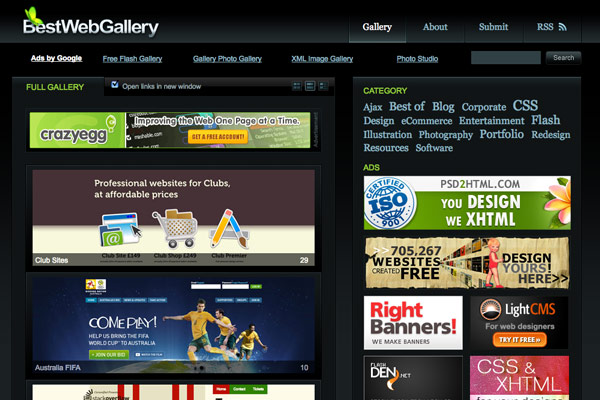
CSS galleries are a great resource for web design inspiration. Spend at least 5 minutes a day searching through galleries and you'll quickly find a topic that you're inspired to write about. Galleries to follow: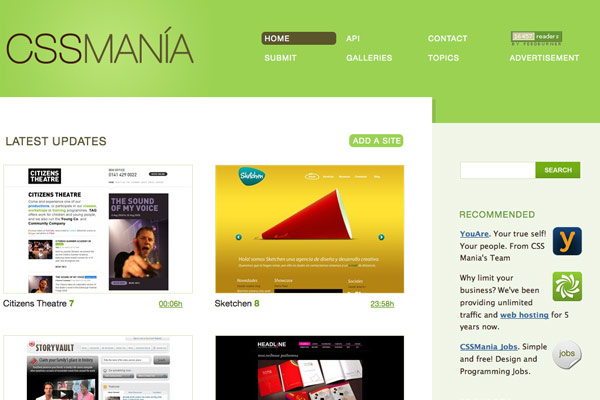

Digg
If something is popular on Digg, then it's usually worth covering. There's no point in covering the exact same topic, but if you find a popular post (for example, 60 Most Wanted Photoshop Tutorials and Resources), then there's a good chance that a similar topic or follow-up post would be a good idea (for example, 30+ New Adobe Illustrator Tutorials and Neat Tips).Keep Track of Current Affairs
Familiarize yourself with current affairs and cover topics that everyone is talking about, but make sure to put your own spin on them. Make sure your topics are timely; consider, for instance, the amount of Obama posts that appeared as the election approached. Or, if it's late in the year, you may want to do a holiday-themed post.Other Blogs
Keep track of what other web design blogs are posting and write follow-up posts or create discussions about their topics. It's important to keep an eye on the leading blogs in your industry. Here are some blogs that I recommend: Mashable for tech news, Smashing Magazine for web design news, MacWorld for Mac news.Delicious
Use Delicious to keep track of all potential blog topics. Whenever you encounter an interesting article or beautiful design, attach multiple tags. This way, if you decide to write a post about, say, "freelancing," you'll have a stock of resources at your disposal.
2. Research
Now that you've got inspiration, it's time to do some research before you actually start writing. Research can help you determine if the topic has been covered before, allow you to compile solid reference material as well as expanding your knowledge of the topic.Digg
Make sure the exact angle you'll be taking on your topic hasn't already been covered on Digg, and see if any popular related posts would help you as you write yours.Social Websites
Enter keywords for your topic on StumbleUpon and Delicious. Check other popular design websites, such as DesignBump and DesignFloat.3. Writing
Starting writing early and giving yourself time to perfect your post is a good idea. I tend to write in plain text and take notes, and then return to clean up the text later. I add markup and images at the end.MarsEdit
A very useful tool I use is MarsEdit. This program allows me to continually add blog topics as they come to mind. I simply start a new post, put in the title and then close it until I have time to write it. MarsEdit also lets me mark up my posts and publish from my desktop straight to WordPress.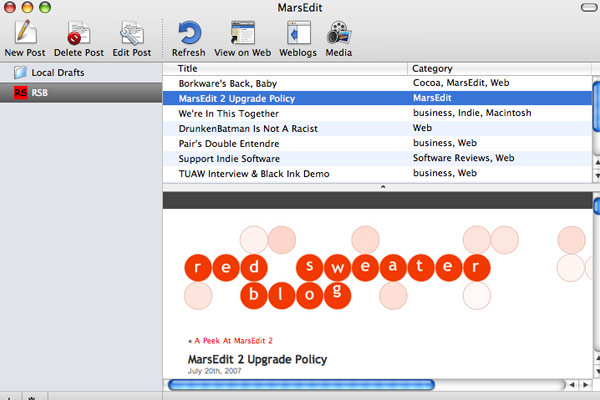
Scribefire
Scribefire is a Firefox extension. It allows you to drag and drop formatted text from pages you browse, take notes and post to your blog.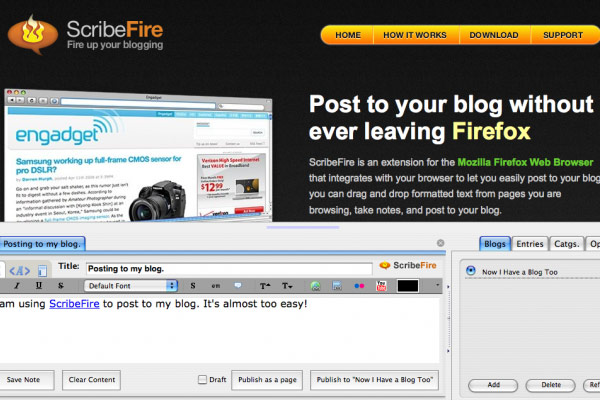
Aim for Readability
Making text easy to read online means making it simple to scan. Keep in mind several things when writing your blog posts:- Write less; get your point across with a minimum of text,
- Use lists and bullet points frequently,
- Try to make only one point per paragraph,
- Use sub-headings,
- Highlight keywords and phrases.
Provide Value
The most important quality of a successful blog is that its posts consistently provide value to its readers. For more writing tools, check out the post called 20+ Useful Desktop Blog Editors.4. Images
Most blog posts (particularly ones that are design-related) should feature photos or screenshots. Photos energize and add interest to posts while screenshots aid in illustrating examples.Paparazzi
Paparazzi is a great tool for Mac that takes full screenshots (yes, even below the fold) of websites. It also allows you to set crop boundaries.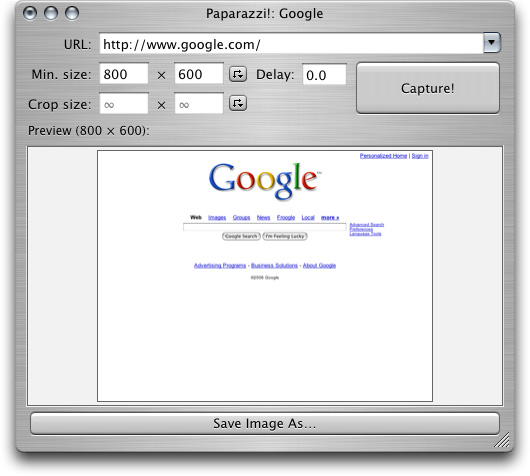
WebSnapshot
I often use WebSnapshot. The program takes screenshots of websites and resizes easily if needed.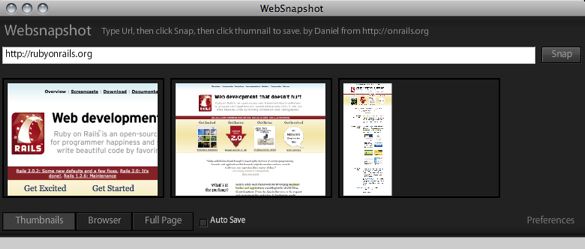
iStockphoto
This is a great resource for stock photographs. If you're looking for professional photos to accompany your posts, the cost of one is as low as £1.Flickr
Searching on Flickr for Creative Commons-licensed photos is also useful. Photographs with this license can be used freely on your blog, as long as you credit the photographers and link back to their Flickr account.5. Before you Publish
Once you have marked up your post, have added images and are ready to publish, you'll have only a few things left to check.Preview
Preview your posts before publishing to make sure everything looks as it should. This is a good time to double-check that all links work correctly.Check for Typos
Perform a spell-check and read through your post to make sure it has no spelling or grammatical mistakes.Schedule
I usually set a time to publish my posts. Think of your readers and when they would most like to read your posts. There's no point in posting in the middle of the night unless you're targeting a different time zone. Also, think about the best days to publish. Posting on weekends is usually not very effective because people are often away from their computers and online traffic may be low.Final Checklist
- Add tags to your post,
- Select a category,
- Add a snippet (if applicable),
- Add a "More" link (if applicable),
- Edit the URL (if applicable),
6. Promotion
How should you promote your blog? Well, if you have 10,000+ RSS subscribers, then you're guaranteed to attract some readers. But what if you have only a handful of subscribers?Social Networking Websites
You could share your posts on Delicious, StumbleUpon and Digg, but letting someone else get the ball rolling is probably best practice. So, make sure to provide links that make it easy for readers to share your posts.Submit to News Websites
Consider submitting your posts to various news websites. If they find them interesting, chances are they will publish them. Design-related news websites: CSS Globe, PSD Tuts, CSS Drive, Noupe, Abduzeedo7. Follow-Up
Discussion
End your blog posts with a question. This way, your readers will be more inclined reply or comment. It will also help generate discussion. Be sure to address any comments or feedback attached to your posts, and thank your readers for their feedback.Related Posts
If your post receives positive feedback, consider following it up with a related post. Base your follow-up post on the feedback you received or expand on one particular area of interest. The important things to remember are: be consistent, blog about topics that matter to you and express your opinions clearly.8. Twitter Tips
I posted a request on Twitter for blogging tips. Here is a sample of the responses I received:@wpstudios: Just be yourself
@barrymcgee: Link to relevant examples, code snippets or screenshots
@5greenbottles: It's best to write a blog post during weekdays. Weekends traffic drops to almost a halt,
@michaeltoman: Try not to be robotic in your posts. Blogs can be a great opportunity to express your personality and quirky character traits!
@wilsonography: Maybe it's been said a thousand times, but your own take on something might end up resonating with more people than you think
@jewlofthelotus: Keep it real! Be yourself, be personal (but not _too_ personal), and be honest. People will appreciate the sincerity
@andysowards: If you think of a great idea for a blog post. Write it down. IMMEDIATELY. or you WILL forget what it was, or forget to do it
@joescanlon: "help others"
@philipbeel : make use of subtitles, to help break articles down into bitesize pieces, hope that helps
@buildinternet: Blogging isn't about being better than everyone else out there. Some of the best posts are built off the ideas of others.
@paddydonnelly: Keep a close eye on your 'Top 10 lists' to 'Actual worthy content' ratio.
@baseacid: add a personality to your posts (preferably your own)
@kirillzubovsky: tip #(alpha +1) once the engine is set and running, don't forget to actually blog.
@kassy4: be concise: no one enjoys reading verbose, dense paragraphs on the web.
@chriscolhoun: Don't mince your words, If your post inspires a response from another blogger then its great for the community.
@rossbloomfield: The more conversations you start the more interactive and interesting your blog will become. Write in response to other Bloggers2
@doorofkukondo: check your spelling and particularly grammar. Nothing good about reading an article with nice content and bad execution
@hamstarr: Know and engage your audience
@LashaKrikheli: In order to maintain a constant post schedule, always create drafts with notes, ideas, and small sentences to get you started.
@seandelaney: Always make sure to acknowledge when quoting from somebody else's work.
Written exclusively for WDD by Lee Munroe, a freelance web designer and blogger. You can find more of his writing on his blog or follow him on Twitter.
Now that you know my blogging process, I would love to hear yours! What fuels your inspiration? How do you promote your blog? Would you like to share any tips?
WDD Staff
WDD staff are proud to be able to bring you this daily blog about web design and development. If there's something you think we should be talking about let us know @DesignerDepot.


Read Next

3 Essential Design Trends, May 2024
Integrated navigation elements, interactive typography, and digital overprints are three website design trends making…

How to Write World-Beating Web Content
Writing for the web is different from all other formats. We typically do not read to any real depth on the web; we…
By Louise North

20 Best New Websites, April 2024
Welcome to our sites of the month for April. With some websites, the details make all the difference, while in others,…

Exciting New Tools for Designers, April 2024
Welcome to our April tools collection. There are no practical jokes here, just practical gadgets, services, and apps to…

How Web Designers Can Stay Relevant in the Age of AI
The digital landscape is evolving rapidly. With the advent of AI, every sector is witnessing a revolution, including…
By Louise North

14 Top UX Tools for Designers in 2024
User Experience (UX) is one of the most important fields of design, so it should come as no surprise that there are a…
By Simon Sterne

What Negative Effects Does a Bad Website Design Have On My Business?
Consumer expectations for a responsive, immersive, and visually appealing website experience have never been higher. In…

10+ Best Resources & Tools for Web Designers (2024 update)
Is searching for the best web design tools to suit your needs akin to having a recurring bad dream? Does each…
By WDD Staff

3 Essential Design Trends, April 2024
Ready to jump into some amazing new design ideas for Spring? Our roundup has everything from UX to color trends…

How to Plan Your First Successful Website
Planning a new website can be exciting and — if you’re anything like me — a little daunting. Whether you’re an…
By Simon Sterne

15 Best New Fonts, March 2024
Welcome to March’s edition of our roundup of the best new fonts for designers. This month’s compilation includes…
By Ben Moss

LimeWire Developer APIs Herald a New Era of AI Integration
Generative AI is a fascinating technology. Far from the design killer some people feared, it is an empowering and…
By WDD Staff