• 3 Dec


    As designers, we all know that a minimalist design can achieve beautiful results.

    Still, many designers have trouble creating one; either they have a hard time making a page with so few elements look good or the final result just doesn’t look “complete.”

    There are many articles on the Web about minimalism and this article aims to help you achieve a minimalist design that is beautiful but not bare.

    To top it off, we’ll present a small showcase of minimalist designs, so that you can analyze why some designs work and others don’t.

    What Is Minimalist Design?

    Minimalist design has been described as design at its most basic, stripped of superfluous elements, colors, shapes and textures.

    Its purpose is to make the content stand out and be the focal point. From a visual standpoint, minimalist design is meant to be calming and to bring the mind down to the basics.

    The design movement began in Switzerland and was then applied to a variety of media: graphic design, architecture, music, literature, painting and, more recently, web design.

    Although minimalist design took off decades ago, the early days of the Internet did not show it. Even without the rotating logos, marquees and bright colors, website designs were cluttered and overbearing.

    We’ll go over the basic principles of minimalist design. But even if you choose not to pursue a minimalist aesthetic, the lessons here can help you simplify your design, whatever your style.


    Less Is More

    As mentioned, minimalism brings the most important content to the forefront and minimizes distractions for the user. If a page has too many elements, the viewer will be confused about where to look or misinterpret the priority of each element. A minimalist design puts the focus squarely on the content.

    Any splash of color on a black-and-white design, for example, is sure to get the user’s attention. The color itself becomes the focal point. Let’s look at a specific example:
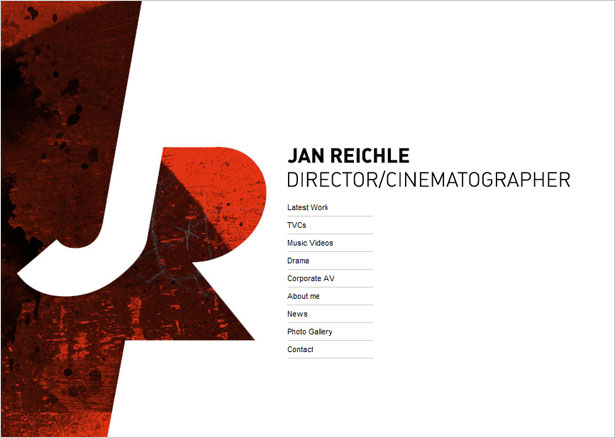
    Jan Reichle

    You’ve probably seen this kind of design before: plain white background, one block of content and one graphic element.

    The graphic element brings color, texture and shape. It is clearly the most important element on the page, and it defines the designer’s brand and identity.

    With the complexity of this particular graphic element, more content on this page would have made it less noticeable, and less important. Keeping the content to a minimum, the designer has achieved the perfect balance.


    How to Minimize Content

    The first step to creating a minimalist design, or just simplifying a layout, is not simply to cut out most of the graphics, but rather to rethink the content and strip it to the bare requirements. Only then will the most important elements on the page achieve their intended effect.

    Just as you would plan any website, write down what content you need: logo, introduction, navigation, etc. Cut out anything else that is not essential. Throw out as much as possible.

    Below are some elements you probably do not need. Keep in mind that this is just a guide. Your exact requirements will depend on your particular design. Some of the items below may not be required for your website.

    • Icons or graphics for social media, or a social media section at all
    • Taglines and supplementary descriptions or introductions
    • “Featured,” “Popular” and “Recent” lists (including Twitter and RSS feed lists)
    • Pages with more than three major sections (e.g. “Introduction,” “About” and “Services”)
    • Secondary navigation pages.

    The point here is not to make the website less functional, but rather to cut out unnecessary elements (and thus highlight the necessary ones) or to combine sections into a simpler layout (for example, by incorporating your social media links into the “About” or introductory section).

    You could also divide content into separate pages, giving each piece of content more attention.


    How to Simplify the Design

    Now it’s time to simplify the design as much as possible.

    Minimalist designs should have little texture, color, shape, lines, content or type. Go too bare, though, and the design will be boring. Rather than dumping everything out, give the design appeal by making just one important feature the focal point.

    Choose what that focus will be, and keep the tips below in mind as you work through your design.


    Use a Great Wireframe

    In browsing the showcase section below, we see that some designers have added visual interest with subtle bursts of color, unique typography or interesting shapes. Perhaps the most important element they have all relied on, though, is a unique wireframe.

    Creating a wireframe for such a bare page requires a bit of extra attention. With the correct wireframe, you can achieve the right hierarchy and organization and create visual interest.
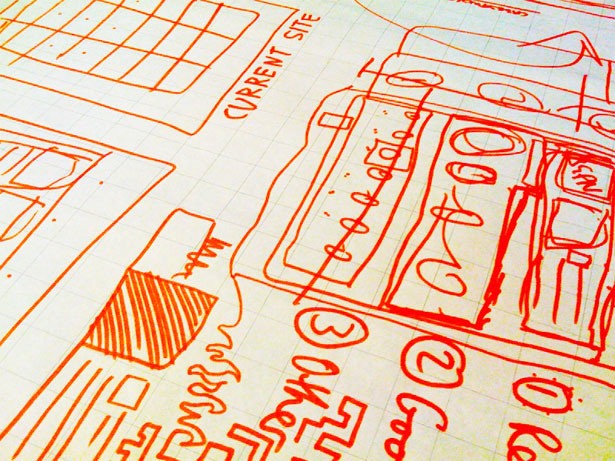
    Wireframe


    To come up with a wireframe, follow these steps:

      • Decide on what content you absolutely need
      • In a list, prioritize the content
      • Sketch a few wireframes based on your list to experiment with the best visual hierarchy.

        When working out the wireframe, consider placement but also visual treatment. For example, if your logo has a color that you do not reuse elsewhere in the design, you have to account for that.


        White Space

        White space is practically synonymous with minimalism.

        No matter how creative you are with it, a minimalist design without plenty of white space is not really minimalist at all. So, be sure to add more white space around elements than you normally would.

        The space is needed to balance the few elements that will appear on the page.


        Balance, Alignment, Contrast

        While much of the load can be carried by white space and a good wireframe, special care should be taken with the fundamentals of design. The three biggest related to minimalism are balance, alignment and contrast.

        Be sure that your design adheres to these principles and that it does not need supplementary visual aids to look “finished.”
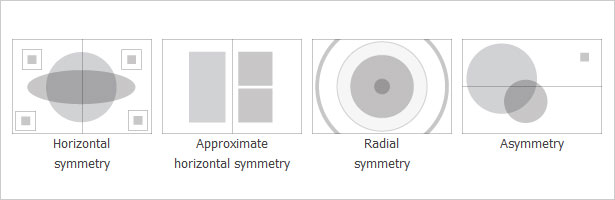
        Design Principles

        Keep other basic design principles in mind, too. Review them and experiment with different options to achieve the best result. Check out “The Principles of Design” for more ideas.


        When Over-Designing Becomes a Habit

        Over-designing sometimes becomes a habit. No matter how hard you try to keep a design simple, it comes out messy and complex. To fix this, we must form new habits.

        Try reviewing the tips above before each project to keep them in mind during the process. Focus on developing one habit at a time. For example, work on reducing and simplifying the content before moving on to white space.

        If you find yourself in a tough spot thinking, “Something’s missing,” first try taking something out, rather than putting something new in.

        Every aspect of minimalism requires a different talent. Your designs will become simpler the more you put these principles into practice.

        Taking it further, once you have applied the techniques discussed here, look at the finished product and see if you can find ways to simplify the result even further.

        You could focus on areas that you were unsure of during the design process, and you could ask other designers to point out elements you may have missed.


        Minimalist Showcase

        Below is a brief showcase of minimalist designs. See how each of these implements the principles we have discussed. Also see which ones break our guidelines, and think of why they still work.

        1. James Day Photo
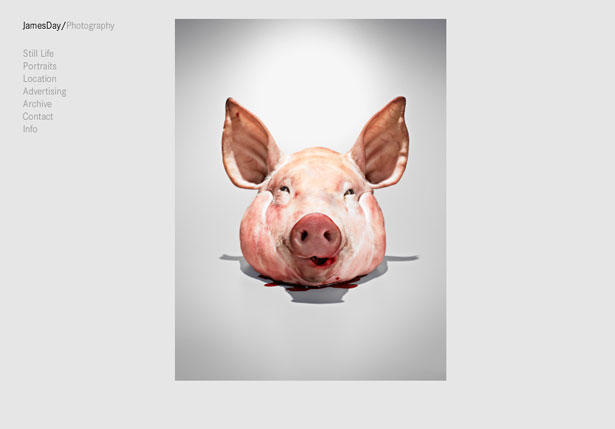
        James Day Photo


        2. Killswitch Collective
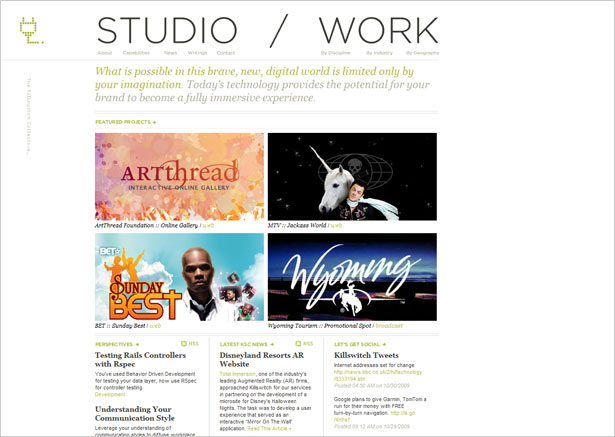
        Killswitch Collective


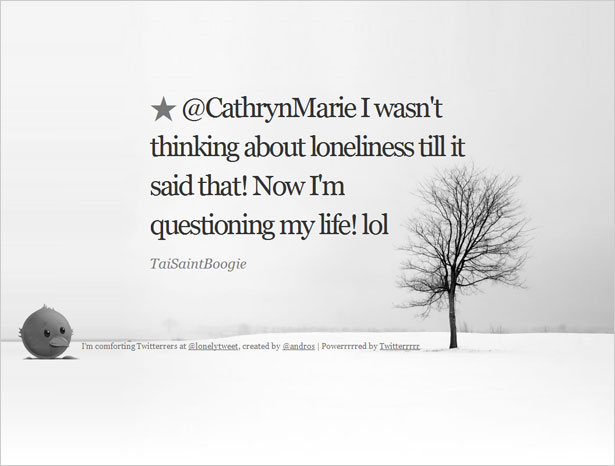
        3. Lonely

        Lonely


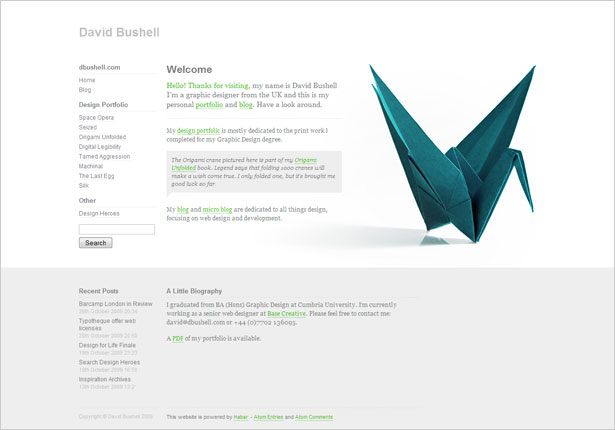
        4. DBushell

        DBushell


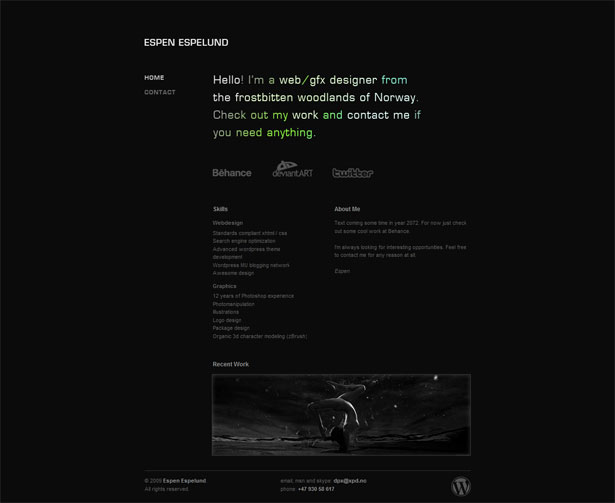
        5. XPD.no

        XPD.no


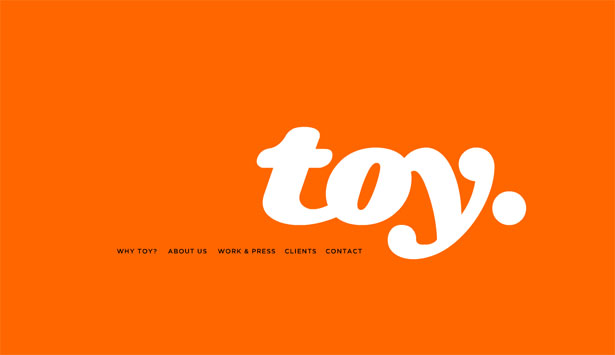
        6. Toy NY

        Toy NY


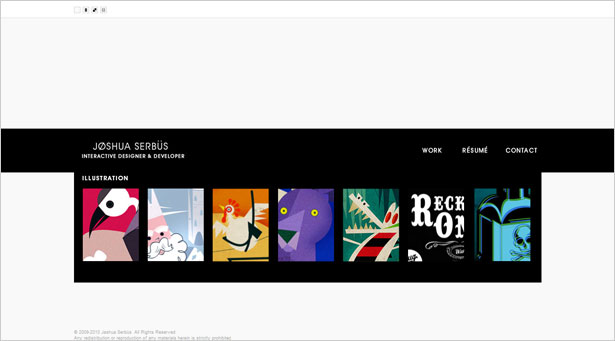
        7. Joshua Serbus

        Joshua Serbus


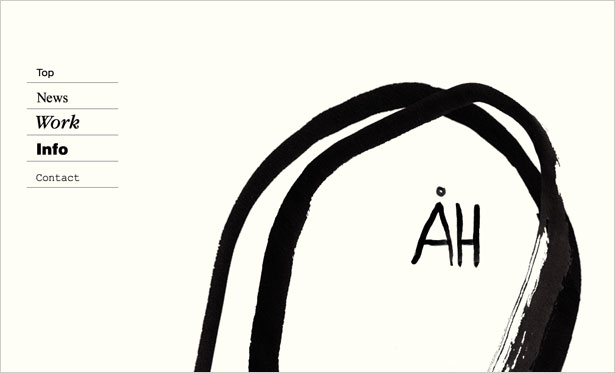
        8. Ah-Studio

        Ah-Studio


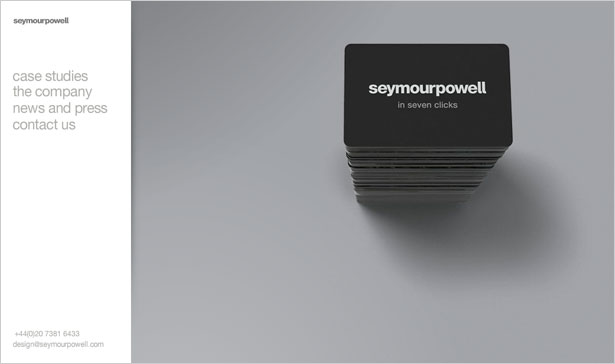
        9. Symour Powell

        Symour Powell


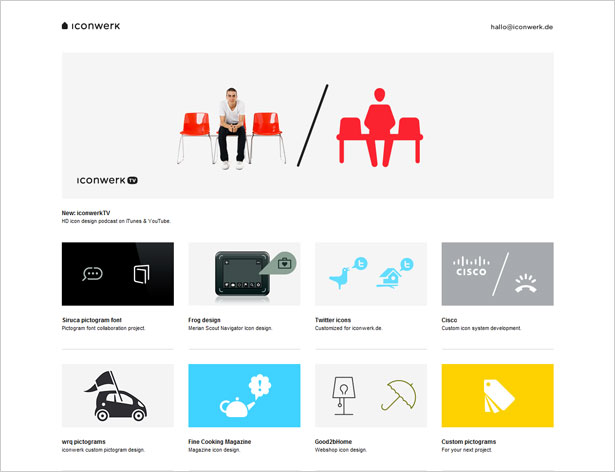
        10. Icon Werk

        Icon Werk


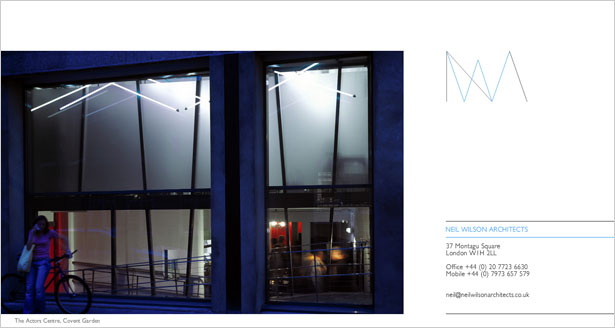
        11. Neil Wilson Architects

        Neil Wilson Architects


        12. Non-Format
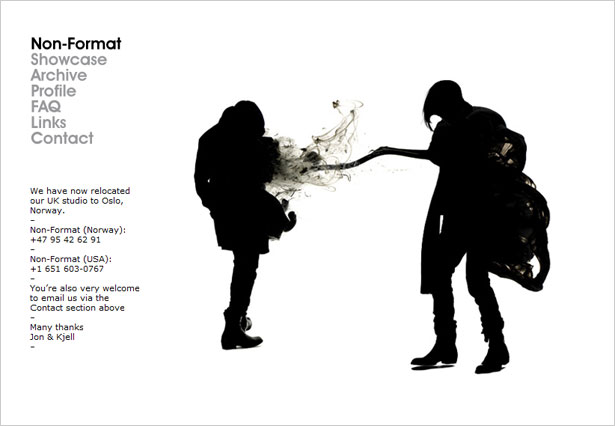
        Non-Format


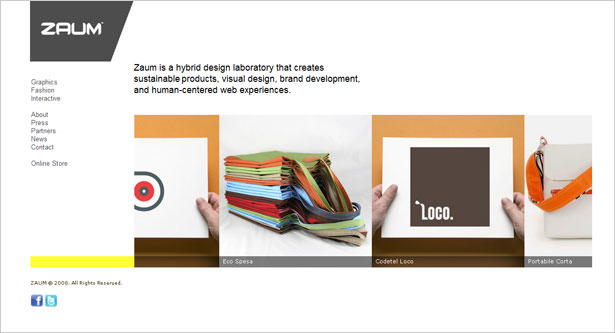
        13. Zaum

        Zaum


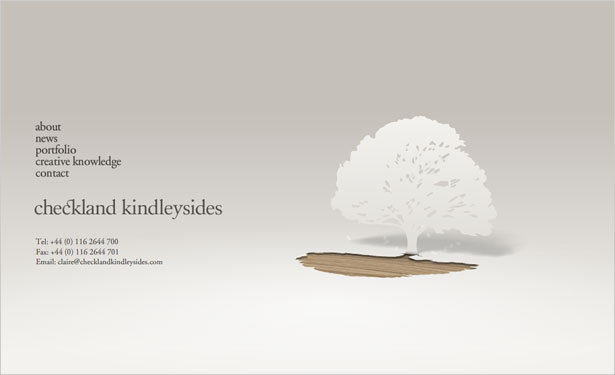
        14. Checkland Kindlysides

        Checkland Kindlysides


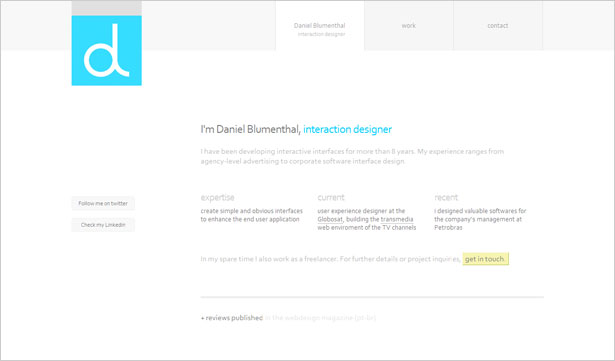
        15. Blumenthal

        Blumenthal


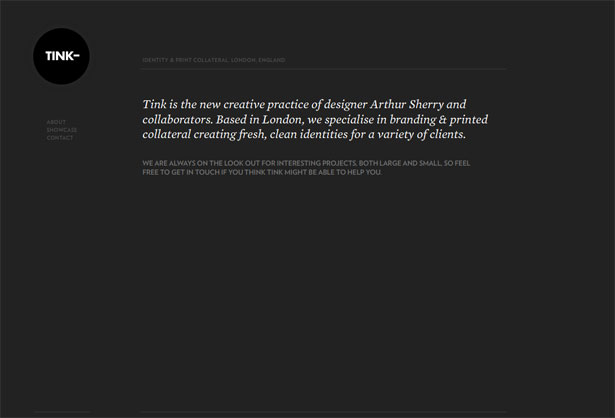
        16. Tink London

        Tink London


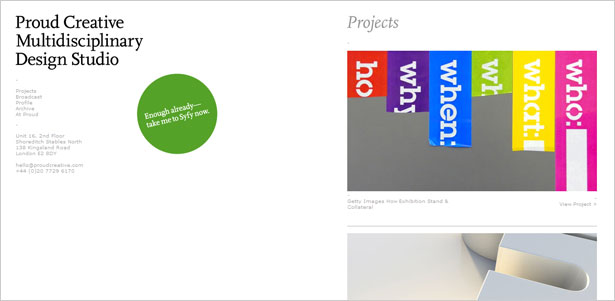
        17. Proud Creative

        Proud Creative


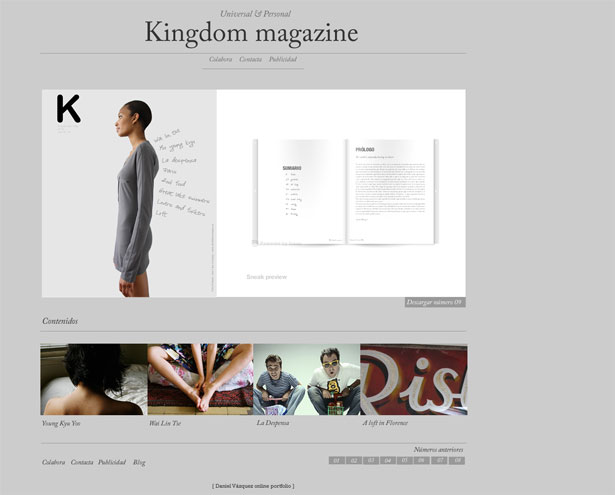
        18. Kimag

        Kimag


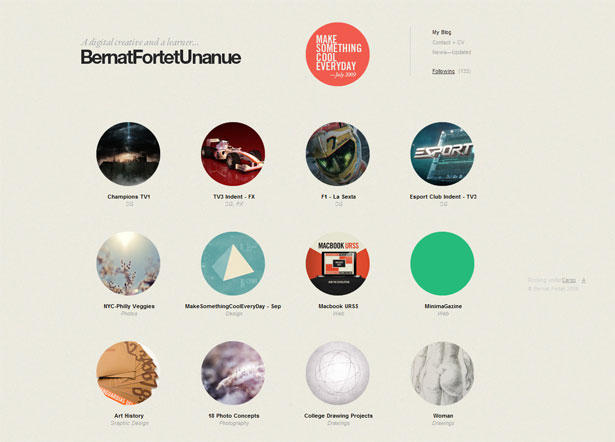
        19. Bernat Fortet

        Bernat Fortet


        20. All Day

        All Day


        Some Trends

        As you can see, minimalist web design has some clear trends. Being aware of these trends helps us improve our designs in a number of ways.

        Not only are we able to take inspiration from the layouts that other designers have worked so hard on, but we can consciously break from these trends to forge our own innovative path.

        Let’s discuss a few of these trends in further detail.


        Black and White

        One of the most noticeable trends is extensive use of black and white. This is obvious enough: color should be simplified along with texture, shape and content. But it can be overdone these days and look a little boring.

        Look at a few websites that have defined colors in the showcase above, and see how they stand out from other minimalist designs. Also, think of how they manage to stay minimalist even with such strong use of color. Here’s one example:

        Toy NY


        Interesting Typography

        Typography-based Web design is closely tied to minimalism.

        When designers have very little else to excite the user, they often seize on interesting typography. You could even go so far as to use typography as the sole visual element.

        This is a daring technique but still a trend in itself. Look for ways to make typography enhance the design while remaining unique.

        Ah-Studio


        Flash

        A surprising number of minimalist web designs are Flash-based. With so little else for visual stimulation, a design could benefit from subtle animation (such as text fading in and out) without being overpowering.

        Also, Flash removes certain limitations in the design process. Unconventional wireframes, typography and other elements can be easier to achieve with Flash than by traditional methods.

        Tink London


        Wrapping Up

        Minimalist design comes in many forms, and yet we too often see the same form repeated. Trends can become overbearing, and we must fight the urge to imitate while understanding what it is about a trend that makes sense.

        In any case, minimalism can be beautiful and will be around for years to come, so learning some of its techniques can be incredibly beneficial, whether for your clients or for your own projects.

        And even if you’re not interested in the minimalist style, the lessons and principles involved can help you simplify your designs, which is always a good thing.


        Written exclusively for Webdesigner Depot by Kayla Knight.

        So, what makes minimalist design so effective, and when should we avoid it?  Please share your comments below…


      1. 116 Comments »

         
        #1
        Zavrab
        December 3rd, 2009 at 20:35

        not bad collection, thanks


        #2
        Cat Johnson
        December 3rd, 2009 at 20:41

        Ahhh.

        Designs that breathe.

        Minimal, content-focused designs that seek to provide information, style and clarity rather than digital crop-dusting, throw everything you’ve got at them designs are where it’s at.

        Keep ‘em coming and keep ‘em spacious.


        #3
        Nick
        December 3rd, 2009 at 20:50

        I prefer “less is better” because “less is more” implies that “more” is still better. I borrowed that argument from Jason Fried.

        I digress… very good article indeed!


        #4
        RoaldA
        December 3rd, 2009 at 20:53

        I love when you have articles about web-design! Really helpfull! Thanks! ^^


        #5
        Shankar Saikia
        December 3rd, 2009 at 20:57

        MOST WEBSITES SUCK!

        This is a great piece on minimalist design. I often read job descriptions where one of the requirements is to “building clean interfaces.” I have seen lots of websites and it’s too bad that most websites are way too cluttered, way too NON-interactive. To me a website is a tool to communicate – in business parlance a website is a marketing tool. Today marketing has become a two-way conversation and so a website should enable that two-way conversation. I am digressing here … coming back to your article, minimalist design is a great way to communicate the most important points.


        #6
        DesigningBrunette
        December 3rd, 2009 at 21:13

        Thanks for sharing!
        Like the designs! Less is definitely more..


        #7
        Web Design Maidstone
        December 3rd, 2009 at 21:41

        Love Checkland Kindlysides everytime I see it I’m reminded jusy how great it is


        #8
        Jeff Kreska
        December 3rd, 2009 at 21:54

        I think the minimalist approach is a good thing but one thing I noticed about most of the examples you listed is I found my self saying “What am I supposed to do?” there is no clear call to action. Not only was there no clear call to action but the part of the page that my eyes gravitated to was an image that had no interaction at all.


        #9
        Shankar Saikia
        December 3rd, 2009 at 22:25

        AGREED: INTERFACE + INTERACTIVITY

        I agree with Jeff regarding the lack of a call to action in any of the examples. To be fair, the article was about the interface aspect of web design. My humble and relatively (perhaps more than that ;) ) uneducated knowledge of web 2.0 tells me that the two main tenets of web 2.0 are (1) interface and (2) interactivity. Interactivity is what enables everyone to be a publisher, including someone that comes to your/my website. It enables a two-way conversation and an ability to establish a relationship.

        I love those sites that have a large button or field that says “Click or enter here” etc.

        Great point Jeff, at the same time I think the author is correct in sticking to the interface aspect of web-design.


        #10
        Yorick Peterse
        December 3rd, 2009 at 22:04

        Prototyping >>> Wireframing.


        #11
        Jesus A
        December 3rd, 2009 at 22:39

        Amazing article, I have always found a problem with website design when trying to make them look good and yet not too “plain”. Are there any extras recommendations when to use minimalist designs? Most of the examples where portofolios, is this what they mostly apply to? How would I go about this when discussing with the client what design suits better their company?

        Thanks in advance :)


        #12
        Teacher Teacher
        December 3rd, 2009 at 23:25

        I understand your beef about there being no call to action, but don’t you just want to look into it because it is great design? I do. The best here is the tree cut-out that folds back to reveal a wood grain surface. Great stuff.


        #13
        Nicolas Auvinet
        December 3rd, 2009 at 23:27

        Great job Guys, made me love websites again ;)


        #14
        derek
        December 3rd, 2009 at 23:47

        The problem with most these designs is they come off trying too hard to look trendy or artsy. Especially the abstract ones like the “Interesting Typography” one, it just screams douche bag to me.


        #15
        Johanna
        December 4th, 2009 at 14:24

        Thanks for your comment, it’s very interesting to hear as we spent quite a long time thinking about our target audience (not sure what field you work in?) and what we want to get across with our work – our website being one of them. The website was purely designed to reflect and showcase our work in a suitable and straight-forward way and is not intended to be ‘trendy’.


        #16
        Gabe
        December 4th, 2009 at 00:48

        Most fine arts websites require extreme minimalism. They’re a good source of inspiration.


        #17
        Site Editor
        December 4th, 2009 at 01:50

        Proud Creative Great! List to bookmarked.. Thanks guys!


        #18
        Visual Swirl
        December 4th, 2009 at 01:58

        There’s something soothing when you come across a minimalist site. Very nice post!


        #19
        Jake Rocheleau
        December 4th, 2009 at 04:28

        Really great article, I appreciate your view of minimalist designs. They are what draw readers attention to the content of the articles: look at Reddit!


        #20
        creativeblondes
        December 4th, 2009 at 05:01

        Sweet! I really like the example websites. In some blogposts where you see lot’s of examples the quality tends to fade away, as if the writer didn’t care much and quickly wanted to collect some examples.. but these are nice! My fave is #15.. Graphic designers tend to do add a lot of non-sense graphic to their own website..but this guy made his portfolio stand out by minimizing the surrounding environment to a minimum.


        #21
        Daniel Blumenthal
        December 5th, 2009 at 20:32

        @creativeblondes :) thanks for the comments!


        #22
        Dave Vogler
        December 4th, 2009 at 05:20

        Great compilation. It is such a relief to find a site like one of these.
        It is a constant struggle between what many clients think is necessary to go on a given web page, and what is really the important stuff.
        More often than not, people don’t read or remember all that extra stuff anyway. Less content and links on a single page will focus attention, and give the visitor a much better experience.
        Thanks for sharing!


        #23
        Espen Espelund
        December 4th, 2009 at 05:51

        Awesome article as always. Thanks for the feature! :)


        #24
        Josh
        December 4th, 2009 at 06:47

        Some great things to think about here along with some good examples. Good article. Something you didn’t mention that is unique to minimalist design on the web: It helps user experience. With minimalist designs you’ll almost surely achieve shorter page load times and less stress on your servers.


        #25
        Anthony
        December 4th, 2009 at 07:06

        I’d love to see some examples of minimalist design for sites that aren’t designer’s portfolios. My experience is that when you get into the real world of clients needing to communicate the breadth of their offering, the homepage has to work harder than any of these examples are capable of.


        #26
        kim
        December 4th, 2009 at 07:59

        I think that minimalism design for websites are best suited for professional artists portfolios. (ie:painters -photographers -architects etc..) and especially contemporary art. The attention of the visitor needs to be focused on their works, and not on the “decor” and that is the most important.
        For other type of content, except the ones about typography and very literary, it can be boring.
        For web designers portfolios using minimalism, is it important to focus only on the works you have made for others ? It can also be boring. and may hide a lack of creativity and imagination. And it can be a liitle too easy.


        #27
        Web Development India
        December 4th, 2009 at 09:14

        Excellent reference. The website featured are really worth following. I believe firmly that simple website designs can pull more traffic than the complex one. This is because the viewer is firstly attracted by the simplicity and secondly by the easy navigation.


        #28
        Domains Guy
        December 4th, 2009 at 09:29

        Out of the sites featured, which do you think is the most successful?


        #29
        Alex Flueras
        December 4th, 2009 at 10:00

        Great list, truly nice designs.


        #30
        KidsonKreative
        December 4th, 2009 at 11:03

        I agree that it depends on the client. These designs are great… but from experience a lot of clients want to their client to know pretty much exactly what they do and offer on the home page, without it being too complicated. Especially small businesses.


        #31
        Connie
        December 4th, 2009 at 12:29

        Please check your print template, it’s placing the pagebreaks into list-items …

        print-stylesheets are necessary, too ;=)


        #32
        Martin Kiland
        December 4th, 2009 at 13:19

        Really nice examples how clean webdesign should look like!


        #33
        Tim Reid
        December 4th, 2009 at 13:59

        This whole topic fascinates me.

        1/ I have no eye for design yet I do love simplicity in design.

        2/ However, I just wonder how much simplicity actually sells.

        3/ If the end game is simplicity then job done.

        4/ If the end game is sales. then job not done.

        5/ My takeaway is that simplicity works for the creative types – writers, photographers, designers.

        6/ The idea of hiding one’s social media links in Contacts, for example, scares the hell out of me.

        I’d love to simplify my site, just haven’t got the guts!


        #34
        Webdesign Aalen
        December 4th, 2009 at 14:36

        iam a big lover of minimal design, this article is great! thanks!!


        #35
        Web Design Nürnberg
        December 4th, 2009 at 15:26

        Awesome! – less is more, i just forgot about that!


        #36
        aledesign.it
        December 4th, 2009 at 16:24

        A nice collection. Sometimes a minimalist graphic can tell a lot. Must have an idea as simple as a clean graphics and essential


        #37
        Adit Gupta
        December 4th, 2009 at 17:14

        interesting post and beautiful designs :)


        #38
        Steve
        December 4th, 2009 at 17:16

        I like minimalist design at times, but I also see it – AT TIMES – as a lazy choice. Yes, this is not a popular opinion these days. When a minimal design works well, and is appropriate to the project, I’m for it. But many times it’s not a choice that’s arrived upon by a process, but more the following of a trend/fad. And I’ll emphasize again – I don’t always feel this way, but I’ve seen many minimal designs that I feel could have benefited from some fleshing out, or which were in need of more features/visuals, but that would have conflicted with the design – which is just as bad as clutter.

        Many of my favorite designs are complex, messy, grungy, photographic, detailed, imperfect – and work well for those reasons. I predict the pendulum swinging back this way in the next couple years. A big home page with a solid background color and one line of text saying “Hello.” or “We’re ‘Company Name’.” or “I write words.” (always with the period, too.) is no longer groundbreaking.


        #39
        Mark Spidle
        December 4th, 2009 at 17:25

        Now this is my kind of web designs. I really love simple websites. Too many sites try to say too much and have way more going on than they really need.

        Mark


        #40
        Ted Goas
        December 4th, 2009 at 17:28

        Throw out as much as possible.

        Love it! Wish more clients would allow this, but I guess that’s why minimal sites are most popular with portfolio sites (with only the designer making decisions).


        #41
        Noel Wiggins
        December 4th, 2009 at 17:46

        I love the symmetry grids you have here this is a great starting point to designing any new website project

        Thanks and Regards

        Noel


        #42
        Philippines Freelance Designer
        December 4th, 2009 at 17:53

        nice article…… simplify … design is good… but not all the time…. some of my design are simple and other are complicated….


        #43
        Myn
        December 4th, 2009 at 17:54

        Thank you for discussing minimalism and its principles. I’ve always been a fan of minimalism and I know it when I see it, and many of my designs (or the ones I admire) have this style. I’m from the Philippines, and most Filipino clients do not always appreciate minimalist web designs. There is always too much information that they want to send out, resulting in too much links, photos, ads, etc., until the design isn’t minimalist anymore. But I don’t want to say that minimalism isn’t fit for corporate websites; if Apple can do it, there’s no reason why others can’t.

        I think I like AH-Studio and AllDay the most.


        #44
        Joseph Alessio
        December 4th, 2009 at 21:35

        You know, I see a lot of people asking why minimalism is mostly found on art portfolio sites. Why is this? My hypothesis is that those of us who are designers are surrounded by and immersed in the visual media all day so when we see a breathable, minimal design we relax and say “now that’s what I call design.” But, to the general public, they like the visually stimulating stuff – since life for the average person nowadays is all about stimulation anyways. They want “put in a little more here. A little swirly here… no, let’s add another menu here… why don’t we include some more elements on this side?” So, when a designer is making a site as a personal project, they take advantage of being their own client to make a minimal design.

        @Derek: Yes, I think the “child-like doodle” artsy-ness fad should be over now. I think simple illustration can be really cool and impressive, but the “high-school sketch book” trend is far overused and comes across as a kid who wants to be hip and artsy but doesn’t quite know how. A simple, cute design should at least require some skill before being called art!


        #45
        ChrisR
        December 4th, 2009 at 22:10

        Very nice showcase. I gravitated to the heading When Overdesigning Becomes a Habit; been there, done that. At the same time, while my own portfolio site definitely went toward the minimalist look with good typography–betraying my roots in print design!–I agree with the comment that I am often drawn to design that is complex, multi-layered, and messy.


        #46
        Shankar Saikia
        December 4th, 2009 at 23:04

        CLUTTER REIGNS …IN ENTERPRISE APPLICATIONS

        Many of us love minimalist web sites. Let me give you another perspective. In the world of enterprise applications (e.g., Oracle, SAP etc.) the applications, many of which started as non-web accessible are now accessible over the internet. Those companies (especially Oracle and SAP) refer to their applications as internet-applications. These applications have the most cluttered interfaces that you will ever see. Even their newer releases are cluttered!

        Let me throw yet another related perspective – customers and users of these applications are FORCED to use these applications. There are several reasons for this, such as the lack of alternatives, integrated modules that force customers to keep buying from the same vendor etc. One may argue that I am comparing apples to oranges – but that is not true. Any user interface (whether on a website or web application) should be clean, focused and free of clutter.


        #47
        Alışveriş
        December 4th, 2009 at 23:44

        Thank you in advance for your quick answer !. Very nice post.


        #48
        Sactalent
        December 5th, 2009 at 10:38

        Great Examples Of Sophisticated Yet Simple Designs.
        Thanks


        #49
        Peach
        December 5th, 2009 at 15:53

        Great post. Just what i am looking for :D


        #50
        Marjorie
        December 5th, 2009 at 18:28

        “take away half and then take away half of what’s left,” are words of advise fro usability guru Steve Krug that guide my design and copywriting process. Minimalist doest always more white space to content; it could be the least amount of visual information you need to get the visitor to do what you want. I highly recommend “Dont Make Me Think”. It’s an oldie (in web years) but a goodie.


        #51
        Daniel Blumenthal
        December 5th, 2009 at 20:39

        great article guys!! and thank you for featuring my web site <3


        #52
        Alexandre Comtois
        December 6th, 2009 at 06:48

        Really good showcase and explanation of minimalist web design. I think that the chosen grid is a really important part of making a minimalist design look original and fresh. A boring grid could make the difference between a wannabe minimalist design to a “Wow that site is clean and simple” type of site.


        #53
        Adam Hermsdorfer
        December 6th, 2009 at 23:58

        I have to disagree with Tim’s comment. Yes, there are a lot of brutal landing pages out there with great conversion rates. Who is to say that they wouldn’t convert even better with clean designs?

        Usability testing and subliminal a/b or multivariate testing are only way to get the correct answer on which pages convert better.

        P.S. “…first try taking something out, rather than putting something new in.” – excellent quote.


        #54
        Greg
        December 7th, 2009 at 11:09

        Great post ! I love minimalist themes, my blog isn’t one but i like it though. (a french guy)


        #55
        Charles
        December 7th, 2009 at 17:31

        Great ideas for new designs.


        #56
        Erwin Schro
        December 7th, 2009 at 19:59

        Thanks for this lesson. I just started to learn minimal design then found this tips. What I can do for now is to ‘take everything out’ from the available template design (as I still can’t code it from the ground up) and see if that simple enough. And I was quite satisfy with my own trial and want to share it to the community so they will know and love minimal design more(I hope there will be more free minimal themes/templates to play around with).


        #57
        Leaflet Design
        December 7th, 2009 at 21:05

        The black and white or greyscale ones work best in my opinion.
        Clean, simple use of text lends itself much better to this style also.


        #58
        Marlon
        December 7th, 2009 at 23:02

        Great work thx


        #59
        Pep
        December 7th, 2009 at 23:40

        Thanks a lot for this article !


        #60
        Liminal Web Design Cornwall
        December 8th, 2009 at 00:17

        Great selection, its a shame that many minimal sites tend to be for designers or photographers.

        Really nice examples though – cheers

        Ryan


        #61
        Graphic Leftovers
        December 8th, 2009 at 01:11

        Hi Walter,

        I agree with you 100%. We just launched a new redesign of our website and took the minimalist approach with the new design and layout. Our previous site was very cluttered and there was no clear focal point, your eyes had to bounce around the page to see where to go next. Visitors SHOULD know exactly where to click when they first land on your website. Adding white space, less content, and making our user submitted content the focal point instead of the design really helped our site look, function and navigate at least ten times better than before. Not to mention, less design elements make the site load faster and helps keep potential customers from getting distracted when they are supposed to be viewing content, not design. Also, Google just recently released a blog article about website speed are giving more benefits to faster loading websites because the user experience is so much better: http://googlewebmastercentral.blogspot.com/2009/12/how-fast-is-your-site.html

        Also, here is a link to our redesigned site: http://graphicleftovers.com/


        #62
        Joli
        December 8th, 2009 at 07:41

        Does anybody know which how they would have created the pop-up image in #14/ I think it is such a stunning graphic.


        #63
        r4 dsi
        December 8th, 2009 at 09:14

        Amazing article. I think the minimalist approach is a unique one. The pictures depict the work very nicely.


        #64
        Arek from NowyFormat.eu
        December 8th, 2009 at 13:36

        Thanks for this staff!


        #65
        Future Webs
        December 8th, 2009 at 15:55

        Briliant Examples. I find that most minimalist websites tend to be a bit boring for the general person with not much design knowledge to look at, thats why these sites are mostly created for art galleries or photographers who appreciate them.


        #66

        I’m a big fan of minimalist design. Unfortunately, in a B2B client world I hardly ever get to use it…simply because it’s not appropriate. It’s all about the end user and what type of user experience they are requiring in order to successfully find and convert to a customer. When we get caught up in minimalist design or flash, we lose sight of the revenue impact our creative has on the bottom line of the client and their company.

        As more and more noise enters the online world, I hope that we will move towards the “Apple” vision of a greater well-designed tomorrow balanced with the technological and social media requirements of today.


        #67
        theComplex
        December 8th, 2009 at 23:39

        Extremely refreshing!


        #68
        Waasys
        December 9th, 2009 at 00:49

        Always loved minimalism, so cool and modern!


        #69
        Web Development
        December 9th, 2009 at 08:38

        Awesome collection!
        thnks


        #70
        vijay
        December 9th, 2009 at 11:49

        it really helps to me a lot for designing.
        thanks ..


        #71
        Samoo
        December 9th, 2009 at 13:27

        I’m a huge fan of minimalist design and really enjoyed your article.


        #72
        JJ
        December 10th, 2009 at 00:29

        I sorry, I hate minimalist design. It says nothing. It’s boring, dull, lacks energy and passion. Nameless, faceless uninteresting…

        I feel better now :)


        #73
        Smartclick
        December 11th, 2009 at 09:38

        Really nice article. Minimalist may seem unattractive to some people, But it really tells “to-the-point” and exact information to the user which is the main motto of putting up a website


        #74
        Alex
        December 11th, 2009 at 13:12

        really comprehensive article. I like the fact that you not only mention typography and white space, but you also deal with e.g. wireframes. keep up the good work!


        #75
        TARUN
        December 12th, 2009 at 14:26

        Really GUD… :)


        #76
        Feelsocial
        December 18th, 2009 at 13:56

        Proud Creative Great! List to bookmarked.


        #77
        Max
        December 20th, 2009 at 16:17

        Checkland’s site is one of my all time favorites. I pushed the envelop of minimalism even further on my agency’s site, I hope you’ll like it as well and that it might get featured in a future round-up.


        #78
        MessageForce
        December 26th, 2009 at 12:29

        Really good showcase and explanation of minimalist web design. I think that the chosen grid is a really important part of making a minimalist design look original and fresh.


        #79
        logo design services
        January 1st, 2010 at 08:22

        Graet information about minimalist web design. The designs given are really simple and eyecatching. I think that the chosen grid is much important part of making a minimalist design look fresh and orginal. Thanks for sharing. Keep posting.


        #80
        Paula
        January 4th, 2010 at 18:55

        Kayla Knight wrote an informative post. If imitation is flattery, then this post has many admirers.

        A web search on the title of this post yielded many results. Here’s an example in which the post is presented without attribution and the implication is that the art director wrote it himself.


        #81
        Premiere Custom
        January 25th, 2010 at 03:46

        Like many of you, I tend to always gravitate to the minimalist designs. I just love the layouts.


        #82
        Jordan Foutz
        January 25th, 2010 at 20:35

        The reason there is a consensus surrounding the efficiency of minimalist design is because words matter and this style lends itself to a greater focus on what you have to say. Enough said.


        #83
        Aaron
        January 29th, 2010 at 04:59

        Very great article. I had just written an article on the why of simple design, and I came across this – updated mine with a link to here. I really love minimalist designs, and appreciate the information!


        #84
        Anne
        January 31st, 2010 at 08:36

        Jan Reichle … that is what I call minimalism done the right way.


        #85
        Charlie
        February 1st, 2010 at 16:19

        Kayla, thank you for an excellent, inspiring and well written article.
        Keep up the good work!


        #86
        Edward Julio B. Tuppil
        February 3rd, 2010 at 02:23

        As most of the Popular and Best Designers always say…
        “KEEP IT SIMPLE”

        A very cool Collection… I liked it!!! Really inspiring…


        #87
        Shane Hale
        February 12th, 2010 at 01:37

        Love teh topic. I’m a big fan of minimalist design but also fight the tendency to over design a site. Always helps to break up content into what is necessary, what is nice, and what is frivolous.


        #88
        Umang
        February 12th, 2010 at 18:22

        The tip about whitespace has had a huge impact on my designs! Thanks!


        #89
        Editha
        February 12th, 2010 at 20:01

        I love the article! Thanks for share. Here is an example that you may want to see :)
        http://www.hobsondungog.com

        Thanks!


        #90
        emlak
        February 25th, 2010 at 19:43

        Checkland’s site is one of my all time favorites. I pushed the envelop of minimalism even further on my agency’s site, I hope you’ll like it as well and that it might get featured in a future round-up


        #91
        Vidanjör
        March 2nd, 2010 at 23:46

        As most of the Popular and Best Designers always say…
        “KEEP IT SIMPLE”

        A very cool Collection… I liked it!!! Really inspiring…


        #92
        Tidy Design
        March 5th, 2010 at 00:00

        A very nice post, some amazing sites! We went all minimal with a site we design/launched back in Jan this year (2010)… I would love to hear what you guys think about the look and feel of http://www.vanwalt.com/


        #93
        Web Design Maidstone
        March 5th, 2010 at 01:02

        I love these simple designs, have been thinking about re-hashing our site to look more “minimalist”. Bookmarking this page!!!


        #94
        Tommy
        March 5th, 2010 at 01:18

        Good article, It’s great the way this site doesn’t just do round-ups of “minimalistic sites” for example and actually puts together a decent article on the subject too.


        #95
        Áki
        March 5th, 2010 at 01:51

        Nice post, great inspirations. I like minimalist websites.


        #96
        Freelance Web Design
        March 9th, 2010 at 07:51

        I love the idea of minimalist design, but like it says, it’s harder than you’d think. There are some great tips here though, and excellent examples.


        #97
        sbuster
        April 3rd, 2010 at 03:46

        Exelent post depot…. my web is minimalist <—


        #98
        PSDDude
        April 6th, 2010 at 15:06

        Less is more indeed but it is hard to know when to stop ! I am redesigning my website and i know how hard it is to make a good design! :)


        #99
        werk26^
        April 19th, 2010 at 19:41

        Great Collection – gimmie more!


        #100
        b2cmother
        April 25th, 2010 at 19:37

        I’m a huge fan of minimalist design and really enjoyed your article.


        #101
        Isle of Man Web Design
        April 30th, 2010 at 15:36

        Some great tips here for the minimalist design process. I’m a big fan of minimalism and have bookmarked this article. Some beautiful examples of minimalist web designs at the end too.

        Great post… thanks :o )


        #102
        Fachübersetzungen Nicole
        May 29th, 2010 at 08:06

        Good collection! I like minimalized design as well, due to I’m searching often for detailed infomation to commit my job.


        #103
        Daniel, Joomla
        May 31st, 2010 at 18:04

        Nice looking list, I will take some ideas from it into my further creations. I’m curious to see, how this will be done with CMS Joomla.


        #104
        Eurogard
        June 3rd, 2010 at 10:21

        Thank you for inspiration, we’ll see how we can integrate those ideas into our new homepage.


        #105
        Strafe Creative - Graphic Design
        June 3rd, 2010 at 16:56

        Really nice collection here. really liked the Non Format one, thought that was brilliant.


        #106
        Sinema
        June 4th, 2010 at 22:18

        Thank you for inspiration, we’ll see how we can integrate those ideas into our new homepage.


        #107
        aydin
        June 5th, 2010 at 13:57

        Nice post, great inspirations… I like minimalist websites…


        #108
        Külföldi munka
        June 20th, 2010 at 00:43

        You are definitely a skilled writer. You definitely know how to write to keep the audience engaged.


        #109
        hyaho.ch
        June 22nd, 2010 at 03:22

        i kind of feel that flash made websites do often hinder minimalist design. for me, minimalist design in websites somehow also implies it’s technology. in my opinion, slick and lightweight technology completes the minimalist esthetics and design and makes up for a real “lite experience”.
        r.


        #110
        Matt
        June 30th, 2010 at 14:29

        Fantastic Post! Insightful. Keep up the good work.


        #111
        film
        July 7th, 2010 at 06:35

        thank u for this tip


        #112
        Aker
        July 29th, 2010 at 12:34

        Great list, you should add some more like mrkwvr.com for example.. Thanks for sharing that list :)


        #113
        emlak
        July 31st, 2010 at 17:19

        Great Collection bravoo


        #114
        Adam
        August 1st, 2010 at 03:41

        I tried to also keep it clean and simple by using as little imagery as possible and just letting the content be the design. Check out http://www.reversedout.com and let me know what you guys think and if there is an opportunity for me to improve or even simplify more. Thank you.


        #115
        WP Themes
        August 2nd, 2010 at 18:41

        Fantastic showcase! It goes to show that web design doesnt mean covering every pixel with color, but how you combine them to have a nice scheme.


        #116
        webdes
        August 12th, 2010 at 12:42

        Thanks for Collection, i like minimalist design :-)

         
        Name (required)

        E-mail (required - never shown publicly)

        Web-site

        Your Comment (smaller size | larger size)

      Home| Advertising| About| Contact

      © 2010 All Rights Reserved