
1
A/B testing (also called split testing) is a testing method generally used in marketing to compare results between two samples with the goal to improve conversion or response rates.
In web design, A/B tests are generally used to test design elements (sometimes against the existing design) to better determine which design elements will get the best response from visitors.
A/B tests, by definition, compare only two variables (design elements) at a time. There is also multivariate testing, which compares more than one variable.
Each one serves a purpose and can help your clients make better decisions that will result in a more successful website.
Here we present a thorough guide to A/B testing, including the benefits of using it and how to administer A/B tests on your own projects.
Benefits of A/B Testing
A/B testing allows you to see how changes effect visitor behavior on a website. Many designers dive right into a new design, with or without a lot of research into current visitor habits, and hope for the best. While sometimes this results in a great final design, it can also result in a design that does no better than the original (or even worse).
A/B testing is a fairly low-risk approach to testing out website changes. While it can seem complicated, there are plenty of tools out there that can help you administer A/B tests, as well as interpret their results.
Another major benefit to A/B testing is that it can be used as proof to convince a client that one design choice is superior to another. This is particularly useful when working with a client who wants evidence backing up every decision they make, or a client who has trouble making decisions.
If you can offer them concrete proof that one design works better than another, they’re often much more comfortable making a decision.
When to Use an A/B Test
As already mentioned, an A/B test can be very useful for convincing clients who can’t decide between two design options. But it can also be helpful to designers who are unsure which of two options will work best for their client.
There are so many articles and studies released every day that tell us how to maximize results for our clients by using one design style or another. And in a lot of cases, the information contained in those articles could be conflicting when compared to an article from a different source, or released at an earlier date.
A/B tests let designers test out the different theories and recommendations in the context of their own projects, so they can decide for themselves what works best for their clients.
Full site redesigns aren’t the only time A/B tests can come in handy. They’re especially important when running a promotion or other marketing exercise. When a client wants a page designed for a particular sale or other promotion, they expect you to design something that will get results.
By setting up an A/B test, you can determine the likely success of different design elements, wording, or layouts so your client ends up with the highest number of conversions.
Things to Test
There are a variety of elements in a website design you might consider testing. Here are some of the most common:
- Color scheme
- Copy text
- The general layout
- Images
- Headline copy
- Text size or font

An example of a test on header images. Everything but the image itself is kept the same between tests. Images by Per Ola Wiberg – Powi and aussiegall.
Virtually any element of a website can be tested with an A/B test, though you may only want to test the most important elements (like copy, color scheme, or headlines), for both time and money’s sake.
How to Set Up an A/B Test
A/B tests consist of a few parts. Setting one up is relatively simple, especially with some of the tools listed later on in this article. There are a few basic steps included in most A/B tests:
- Set up the two designs you want to test.
- Randomly show one design or the other to visitors or a test group.
- Track performance, especially related to the site’s goals, for each design.
- Evaluate the results and decide which version to go with.
You’ll want to set up a method for tracking the results you get from each design, beyond just an analytics program. If you’re testing in a production environment, you may not have even numbers of visitors seeing each design (though they should be close).
Make sure you figure out the percentage of visitors who reach the goals, not just the concrete numbers if there’s a difference in the total number of visitors who saw each design.
Change Only One Thing at a Time
This is often the hardest thing for many designers. In true A/B testing, you should only be making one change at a time, or only testing one thing at a time. That means testing each element of the website—navigation, header design, content layout, color scheme, etc.—separately.
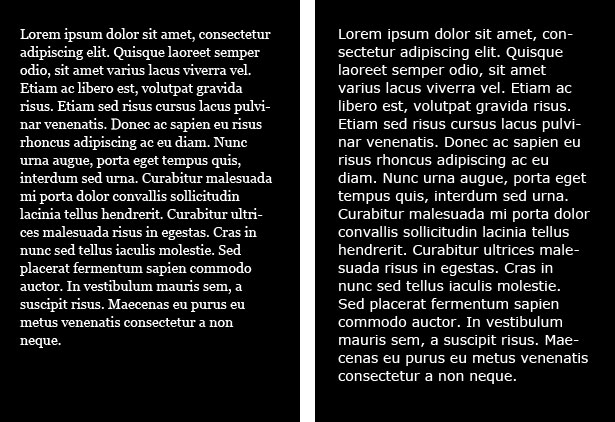
The test example above tests the font (Georgia vs. Verdana) of a block of body copy.
The point to testing each thing separately is to make sure you’re getting accurate results on how each design element on the site is affecting the visitor. If you change everything all at once, you don’t know if it’s the entire design that’s improved your traffic numbers (or made them drop off) or just one element. In the case of a drop in traffic numbers or sales, it’s important to be able to isolate what isn’t working.
Let’s say, for example, that you completely redesign a shopping cart on a site. Everything is different: the call to action buttons, the checkout experience, the way visitors have to enter their payment and shipping information, etc. And then let’s say there’s a big drop in sales. The problem with this is that you don’t know what caused the drop.
Sure, it could be the fact that everything is just different and return shoppers aren’t as comfortable with the new design.
But maybe it’s only because you used some cutesy wording on the “add to cart” button and it’s confusing people. If you’d tested that button separately from the rest of the shopping cart, then you could change the wording and increase sales. But instead, the client wants you to put everything back just the way it was, and they think you’re incompetent.
A/B Testing Takes Time
A/B testing isn’t something you can generally complete overnight, though it depends on exactly what you’re testing. For something simple, like a header image, you might be able to only run a short-term test. But for larger changes, especially those that will have a direct impact on conversions, you’ll want to let the test run for longer.
Determining how long to run a test is often simple. Look at the traffic patterns on the site. Most sites have cyclical traffic patterns, with some days consistently getting higher traffic than others.
For some sites, this cycle will run over a one-week period, while for others it might be a month. If possible, run your A/B test over at least one cycle to get more accurate numbers.
The goal is to get a good cross-section of visitors testing the new design options. By paying attention to the traffic cycles, you’ll be more likely to get that cross-section. If the site in question doesn’t have identifiable traffic patterns (or if they’re much longer), then try to run the test for at least a week.
How to Convince Your Clients
Sometimes clients are resistant to the extra time and money involved in running a proper A/B test.
They often think that as a designer, you should already know what’s going to work and what won’t for their website. Sometimes they think as a business-person, they already know what will and what won’t work. In either case, you need to convince them that an A/B test can help support those theories with concrete evidence.
Stress the benefits of running an A/B test. Tell them that it will help ensure their visitors are happy and more likely to purchase something, sign up for an account, or download information.
Stress that spending a bit of time and money up front on a good split test could result in much higher conversion rates in the future. Also stress that a good split test can also save time in the long run, as there will likely be fewer tweaks to the design once the site launches.
Tools for Easier A/B Testing
As already mentioned, there are tons of great tools out there for administering A/B tests on your website designs. Here are some of the best (feel free to share more in the comments):
Google Website Optimizer
Google offers their Website Optimizer as part of their Analytics package. It’s a free tool that lets you run A/B or multivariate tests. They also offer information on how to test and how to get the best results.
Visual Website Optimizer
Visual Website Optimizer is an easy-to-use A/B testing tool that’s used by both businesses and agencies. You just create multiple versions of your website, define what your visitor goals are (download, sign up, purchase, etc.), and then they split your traffic between the different versions. There’s a free trial where you can run a single test on up to 1000 visitors; paid accounts start at $49/month (for up to 10,000 visitors tested and up to 3 simultaneous tests). Visual Website Optimizer also has a number of free tools you can use, even without using their service: A/B Split Test Significance Calculator, a Landing Page Analyzer, the A/B Ideafox – Case Study Search Engine, and the A/B Split and Multivariate Test Duration Calculator.
Vertster
Vertster is made specifically for multivariate testing, not just A/B testing. Their biggest advantage for agencies is that they offer private labeling of their technology, so you can offer your own testing solution to your clients.
Press9 A/B Testing Joomla Plugin
This plugin lets you run A/B tests in Joomla without the use of any outside service. It’s easy to use and can be run on any element of a Joomla-based website.
Amazon Mechanical Turk
While not specifically an A/B testing tool, Mechanical Turk can easily be used to find visitors for A/B or multivariate tests, often for only pennies per visitor. You’ll need to handle the technical aspects of the test, but it can solve the issue of finding test subjects.
Split Test Calculator
For the mathematically-challenged, this simple calculator can tell you which of your tests performed better if the total visitor numbers are different. Just enter the total number of visitors and the number who met your goals for each group of visitors and it will calculate which one did better.
ABtests.com
ABtests.com lets designers share results from their own A/B tests, and view the results of others. This allows designers and developers to learn from what others have already tried, as well as sharing their own results to help others.
An Alternative Option
As an alternative, you can always use any number of regular usability testing tools to run an A/B test, even if they don’t officially offer the service. All you’ll need to do is set up two tests, and monitor the results from each. This is a great option if you already have a favorite usability testing tool but want to expand into A/B testing. If not, here are a few you might consider:
- Concept Feedback
- Crazy Egg – Provides heat maps
- Usabilia – “Micro” usability tests
- Silverback 2.0
Multivariate Testing
Multivariate testing is similar to A/B testing, but includes more options. Where an A/B test compares two things, a multivariate test might test three, four, or five different designs.
If you opt to use multivariate tests rather than just simple A/B tests, it’s still a good idea to only test one element at a time. In fact, the more options you include in the test, the more complicated interpreting results becomes, and those complications are only exacerbated by testing more than one element.
Multivariate tests can be particularly useful if your client is unsure of how they want their site designed. You can test two or three completely different website mockups and see which one performs the best.
You may then want to run A/B tests on specific elements within the winning design to make sure it’s optimized as well as it can be.
In Review
Here are the basics you need to remember when running an A/B test:
- Test only one thing at a time.
- Allow ample time for testing.
- Use available tools to make A/B testing easier.
- Use the results to help your clients make better decisions.
Written exclusively for WDD by Cameron Chapman.
If you have more A/B or multivariate testing tips, techniques, or tools to share, please do so in the comments. We’d also love to hear success stories resulting from A/B tests!


Not Useless: Why Experimental Websites Matter More Than You Think
Every once in a while, a site comes along that makes you pause, grin, and think: Wait—websites can do that? Maybe it’s a portfolio where the cursor morphs into a liquid blob,…
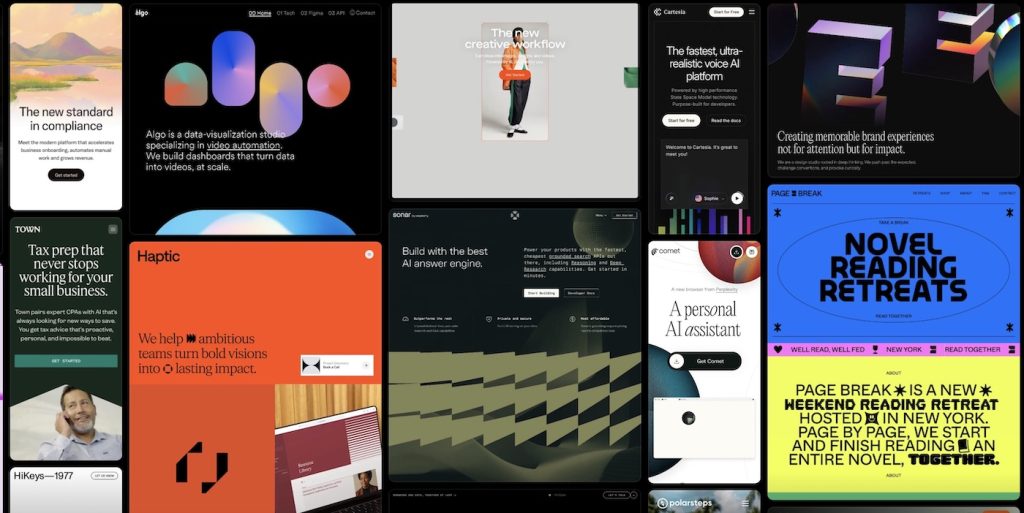
Framer vs. WordPress vs. Webflow: Who Actually Wins in 2026?
Every few years, the web design world crowns a new “ultimate platform.” Once upon a time, it was WordPress. Then Webflow rose as the cool, code-free disruptor. Then Framer entered…
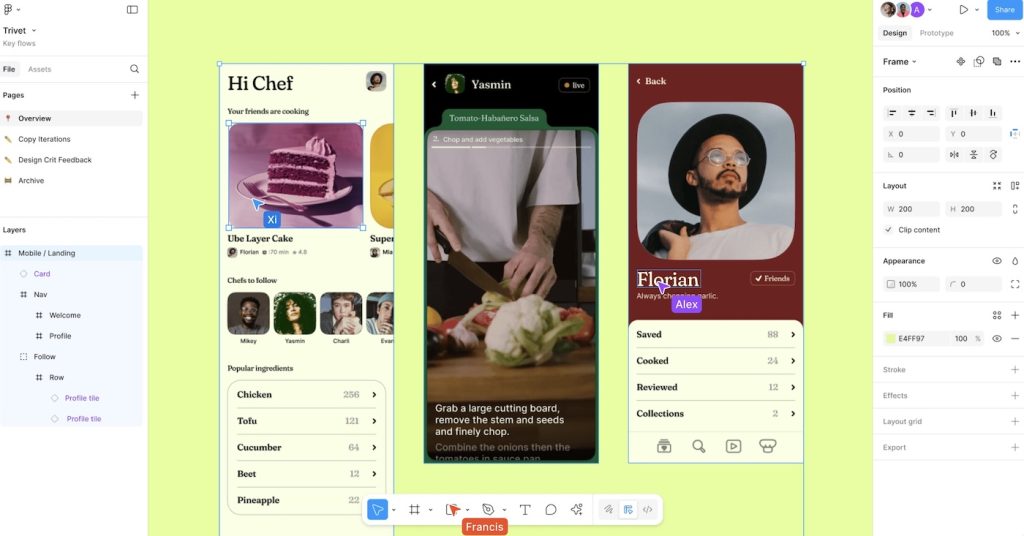
Density vs. Clarity: The Core Tension in Modern UI Design
Every generation of designers seems to rediscover the same paradox: the more information we can display, the less anyone can process. The web is bursting with pixels that compete for…
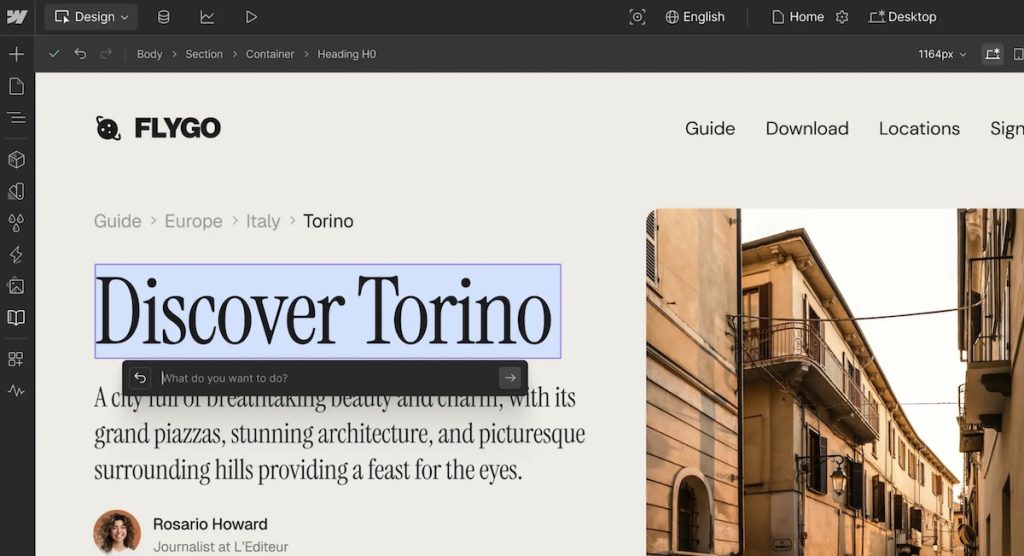
What Figma Got Wrong About Design Systems
When Figma first revolutionized collaborative design, it promised something that sounded irresistible: true consistency at scale. Design systems became the new religion, and Figma was its temple. Tokens, components, variants —…

The Evolution of Web Development: From Static Pages to AI-Driven Experiences
Web development has always been a strange cocktail of creativity, technology, and a bit of chaos. In its earliest days, it was pure alchemy—weaving simple code into pages that, somehow, transmitted…
From Wireframes to Prototypes: Why Designers Need to Grow Up
Wireframes once ruled the UX kingdom. They were the designer’s armor — grayscale, boxy, safe. They reassured clients, gave developers something to glance at, and let teams pretend they were…